Edge Command Workbench gives a local browser a small, focused interface for choosing a machine command from a short request and a list of allowed options. The model and tokenizer run on an RK3576 device, so the request can stay on the local network.
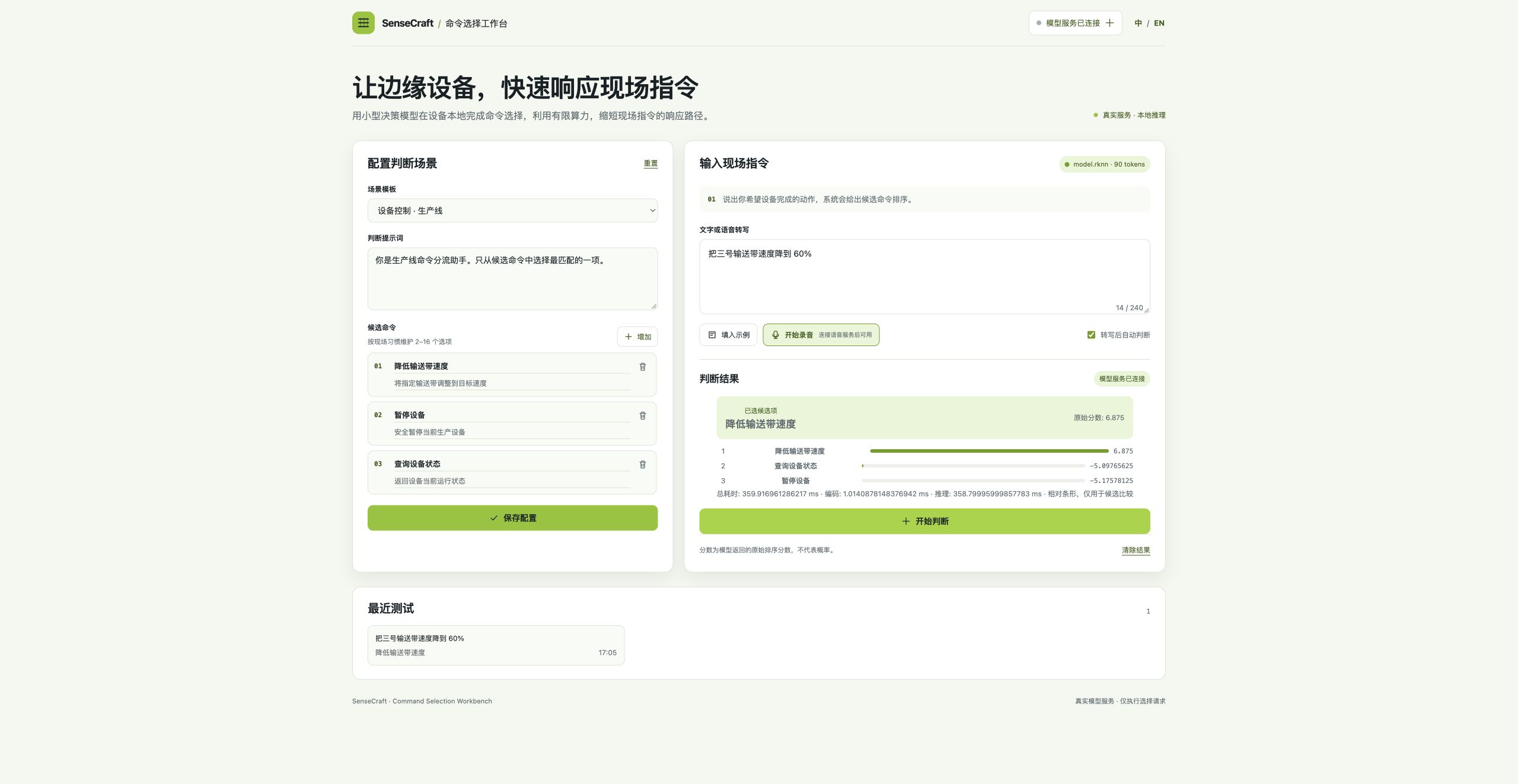
A local web workbench that turns short machine requests into a ranked command choice on RK3576 and RK3588.
Edge Command Workbench gives a local browser a small, focused interface for choosing a machine command from a short request and a list of allowed options. The model and tokenizer run on an RK3576 device, so the request can stay on the local network.
| Benefit | What you get |
|---|---|
| Keep requests local | Candidate selection runs on the RK3576 instead of sending the request to a cloud service. |
| Connect to existing controls | POST /api/decide returns the selected option and its ranking as JSON for a machine control or web application. |
| Keep the action surface explicit | Your application supplies the allowed command options; the workbench ranks those options rather than inventing an unrestricted command. |
| Keep the edge path short | On the validated RK3576 setup, a 120-iteration repeated single 43-token input benchmark measured 335.43 ms p50 total latency. This is a latency observation, not an accuracy claim. |
| Connect voice when ready | An existing compatible local voice service can be connected through VOICE_SERVICE_URL; this solution does not automatically install a voice service. |
| Scenario | Example |
|---|---|
| Conveyor controls | Present “Set speed”, “Stop”, and “Read status”, then rank a request such as “Reduce conveyor 3 speed to 60%.” |
| Factory status panels | Let an operator select the “Read status” action from a short English or Chinese request. |
| Robot or gateway integration | Send the candidate list from an existing control system and consume the selected option from the JSON response. |
| Device | Role | Required |
|---|---|---|
| RK3576 Linux device, such as LubanCat3 | Runs the one-container web workbench and RKNN model | Required |
The existing validated package is prepared for RK3576/RKNN. The historical rk3576_remote preset uses the independent Laya/RKNN 0.1.0 paths and remains separate from the current Kev RKLLM presets. RKLLM Kev has been device-tested on RK3576 test platform and RK3588 test platform: RK3576 deployment requests are guarded at 2048 tokens while the engine export capacity is 8192; RK3588 uses an 8192-token deployment context. Existing Jetson TensorRT deployment is maintained in the application Docker sources; this solution page does not claim native Kev support on Jetson.
/usr/lib/librknnrt.so must already be installed on the target.privileged mode using the RK3576 NPU DRM nodes, read-only device-tree paths, and read-only RKNN runtime mounts.https://hf-mirror.com.MODEL_SERVICES_JSON can point another model family to an existing HTTP service without loading both families into RAM.Voice input is available only when an existing compatible local voice service is supplied. The solution does not automatically install a voice service. Browser microphone access requires HTTPS or localhost.
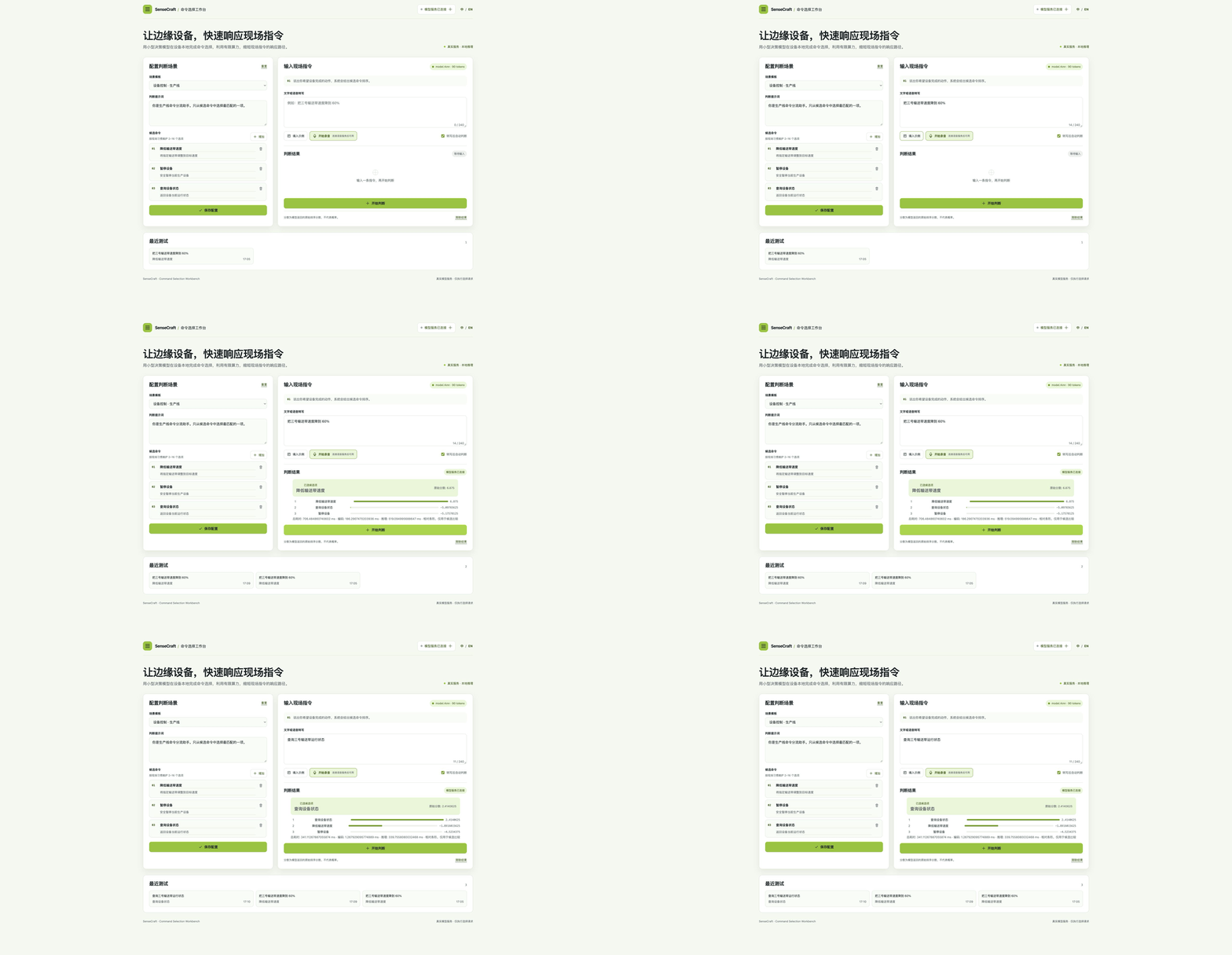
gallery/kev-final/ contains the Chinese and English result screenshots, the pending state, and a screenshot montage from the 2026-10-11 RK3588 test platform candidate QA. SHA256 values, service URLs, health response, and request metadata are recorded in gallery/kev-final/README.md and kev-final-evidence-20261011.json. The montage shows the text-decision flow. When voice is used, connect an existing compatible ASR service and authorize the microphone from HTTPS or localhost; the protocol evidence is in assets/evidence/voice-proxy-contract-20261011/.
| Hardware / backend | Current status |
|---|---|
| RK3576 / RKNN Laya | Existing validated path |
| RK3588 / RKLLM Kev | RK3588 test platform verified with 8192 context, five golden cases, overlength error, and dual-model HTTP switching; RKLLM 0.3.1 ef82 release published |
| RK3576 / RKLLM Kev | RK3576 test platform 500-token fixture: 189/240 correct (78.75%); deployment guard 2048 tokens, engine capacity 8192 |
| Jetson / TensorRT | Existing TensorRT path retained; native Jetson Kev support is not claimed |
The reproducible context-500 fixture is archived in assets/evidence/context500-20261011/. It contains 120 original and 120 reverse cases, each assembled to 500 tokens. The frozen dataset, metadata, runner, raw JSONL, summaries, logs, and monitoring records are included for both devices.
| Device | Correct | HTTP errors | Client p50 / p95 |
|---|---|---|---|
| RK3576 test platform | 189/240 (78.75%) | 0 | 7115.31 / 7574.56 ms |
| RK3588 test platform | 189/240 (78.75%) | 0 | 3946.52 / 4770.96 ms |
The fixture uses generated documentation context to hold the assembled input at 500 tokens. The measurements cover this fixed generated background and candidate set; metrics for real business commands require a separately labeled test set. The workbench returns a candidate option ID for the calling system to process. The source, generator, dataset SHA, runner SHA, and device bindings are recorded with the evidence.
Real browser switch evidence is in gallery/kev-final-switch/: the Laya page chip/result both show rknn / 90 tokens, while the Kev page chip/result both show rkllm / 8192 tokens. The same English request was run after selecting each profile from the dropdown; Test and connect made a real GET /api/models request and received HTTP 200. The assets document the final UI readability rounding (score to three decimals and milliseconds to one decimal); raw API values remain in the evidence JSON.
Check the setup and its product list, then follow the deployment guide.
Deploy the tested RK3576 Kev RKLLM configuration with a 2048-token request guard; the engine export capacity remains 8192.
2 steps
Health status for the local command workbench.
Rank candidate machine commands for a user request.
{"prompt":"Choose the best machine command.","input_text":"Read current conveyor status.","options":[{"id":"status","label":"Read status"},{"id":"stop","label":"Stop"}]}Network access is needed for the first download unless the target already has the pinned artifacts.
Keep at least 3GB free for a fresh Kev artifact/bootstrap operation; measured fresh peak is about 1.94GB with a 1GB reserve. The existing RKNN path documents its 4GB requirement separately.