Fall Detection
The camera sees someone fall and raises the alarm.
On-device fall detection — pose estimation, a per-person temporal state machine and one MQTT event, all local. All-in-one camera, or your existing RTSP cameras on a Jetson, Rockchip NPU or Hailo-8 host.
Reusable Site Templates
Indoor fixed views, someone often on their own, and a fall that has to be known within minutes.
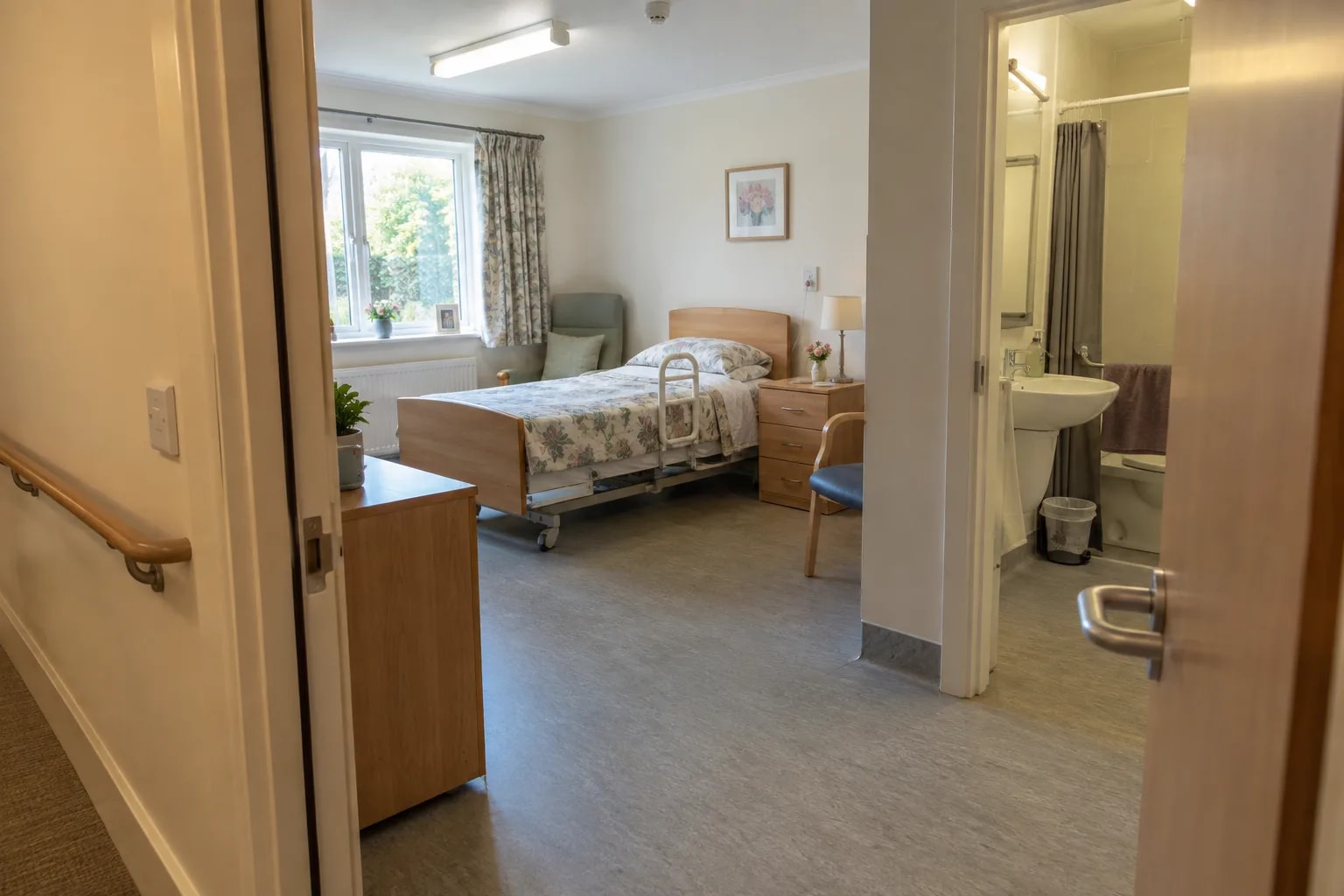
Care homes and home care
Bedrooms, bathroom doorways, corridors. A fall no longer waits for the next round.
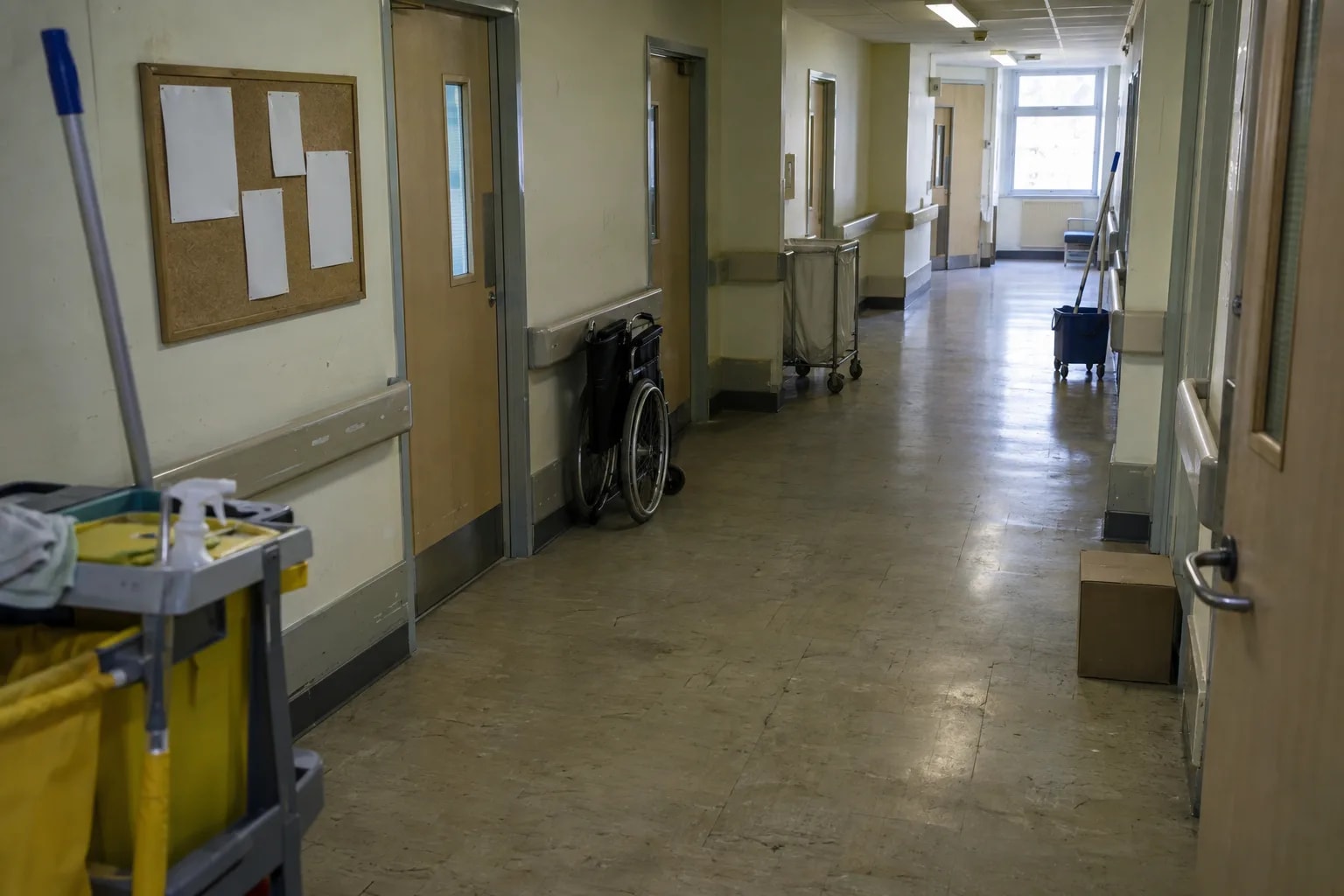
Rehab centres and ward corridors
Training areas and night-time ward corridors. A second pair of eyes when nobody is on the floor.
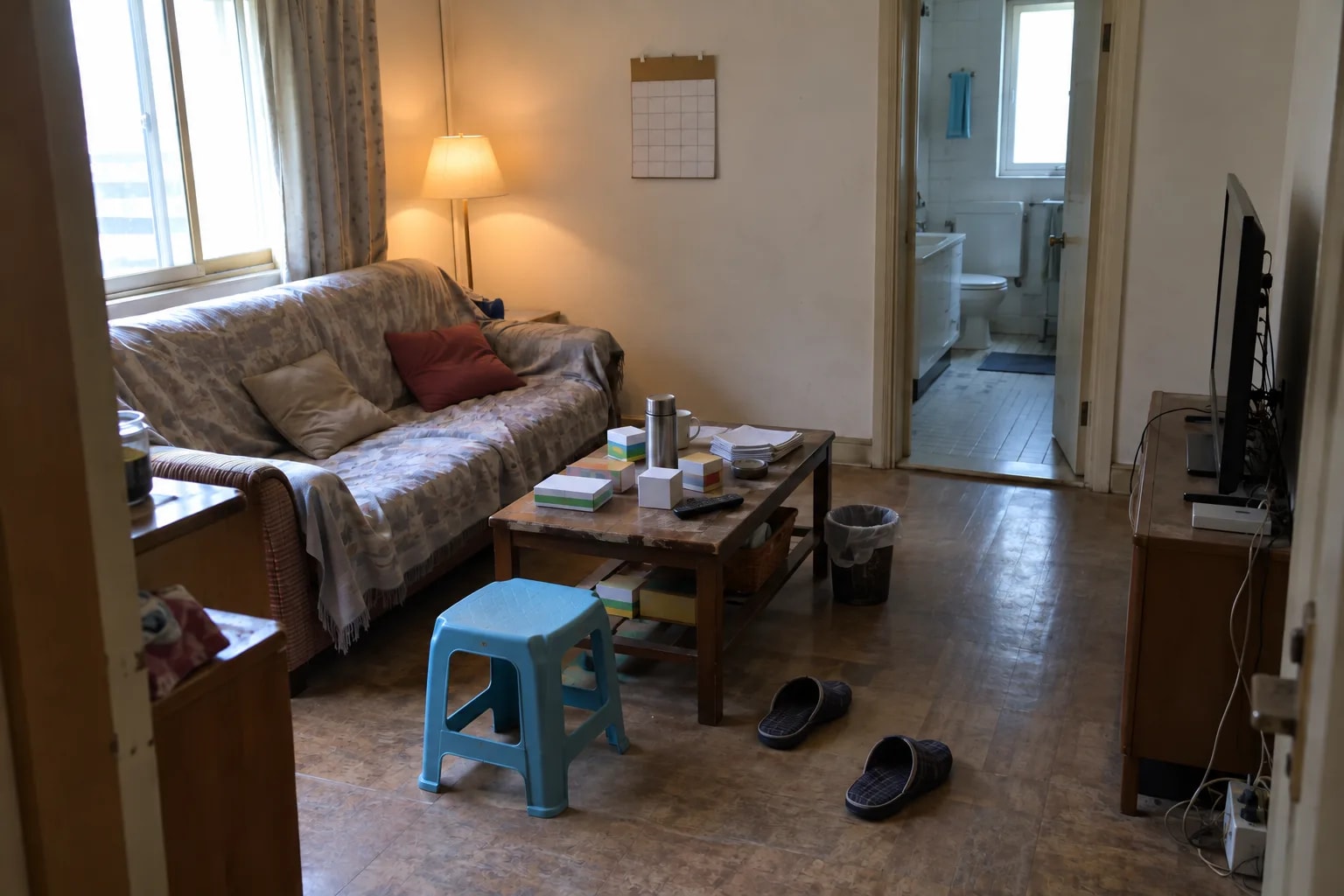
People living alone
A living room, outside the bathroom. One fall entity in Home Assistant switches on a light, pushes a notification or starts a call.
Not a fit: top-down views, long-corridor wide shots, heavy furniture occlusion. If someone is already lying down when the detector starts, it reports the posture but raises no event.
How it works
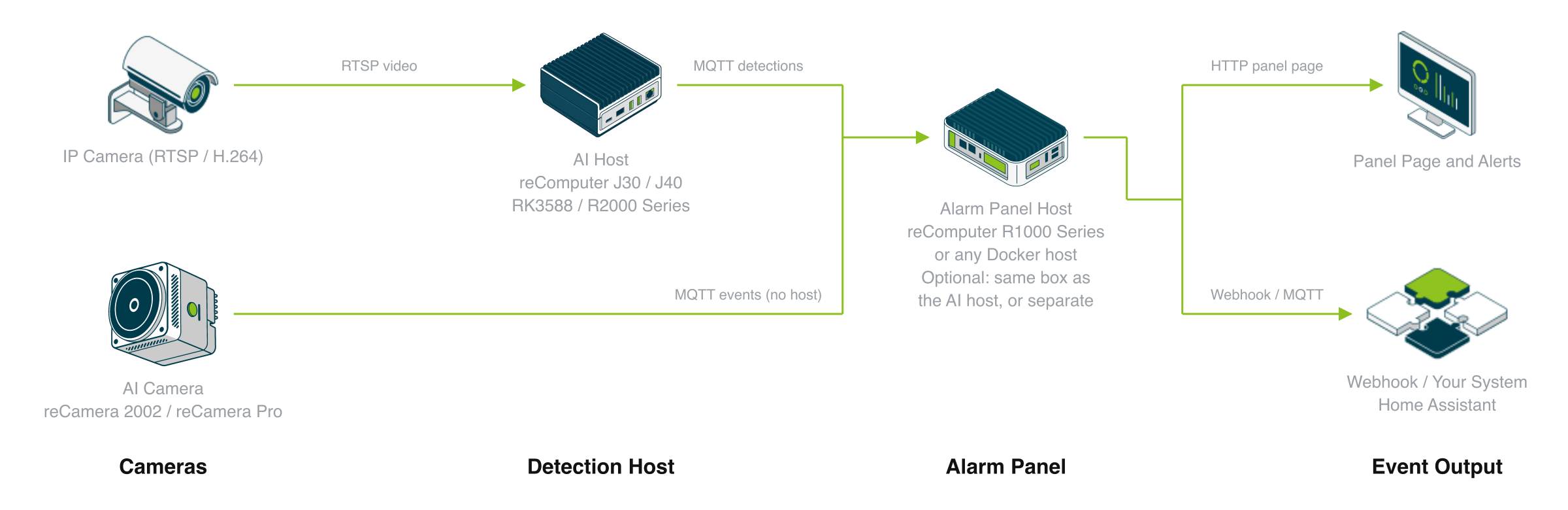
A camera captures the view, a detector host makes the decision, and alerts go to your existing receiving system. Add an alarm-panel host when an operator screen is needed.
Three things: a camera that produces the picture, a host that runs the detection, and whatever consumes the event; add an alarm-panel host if you want an operator screen (it can share the detection host, or be a small box when you use reCamera). Camera and host sit on site — video never leaves the device. What crosses the network is a few hundred bytes of JSON.
Cameras
Two ways in, and which one you take is usually already decided by what is on the wall:
- You already have IP cameras. Point the detector at the RTSP stream. Nothing on the camera side changes, and one host can take several streams.
- You don't. reCamera 2002 and reCamera Pro carry the camera and the accelerator in one unit — power it up and it works, no separate host. The trade: the detector takes the camera over, so Node-RED and any other vision app on that camera stop.
Placement decides accuracy more than the hardware does. A fixed indoor view, 2–3 m, side-on or at an angle, shoulders and hips visible. The fall itself has to happen inside the frame: if someone is already lying down when the detector starts, it reports the posture but raises no event. Top-down mounts, long-corridor wide shots and heavy furniture occlusion all measure worse.
Detection Host
This is the box that decides how many cameras you can cover — and most of the cost. Pose estimation, per-person tracking, the fall state machine and the MQTT broker all run here; the decision logic is identical on every host, only the accelerator differs.
| Detection host | Accelerator | Model deployed today | Streams | Fits when |
|---|---|---|---|---|
| reCamera 2002 / Pro | Built-in NPU | YOLO11n-Pose INT8 | 1 | One room, fastest path to a working alert |
| reComputer RK3576 / RK3588 | Rockchip NPU | YOLO11n-Pose FP16 | 1 | You already run Rockchip boards |
| reComputer R2000 Series | Hailo-8 | YOLOv8s-Pose INT8 | 16 | You already run Hailo, or you need stream density |
| reComputer J30 / J40 | Orin Nano / Orin NX GPU | YOLO11s / YOLO11m FP16 | 7 / 8 | Several views, and headroom for a larger model |
Streams are measured accelerator throughput divided by 15 FPS per stream, then discounted for RTSP decoding, tracking and MQTT. End-to-end we have only measured single-stream, so treat the number as the starting point for your own load test, not a rating. Per-frame latency, the full FP16/INT8 tables and the test method are in the engineering wiki.
Event Output
reCamera uses its own local broker. The reComputer presets bring up eclipse-mosquitto:2 alongside the detector on host networking, so the MQTT broker is served by the detector host itself — no external broker is required, and none of this traffic needs internet access.
Deployment ends with a live preview inside the app: the video with the skeleton, the per-person state and the evidence count drawn on top, so you can confirm the camera sees what it needs to before wiring up notifications. The data interface is listed under “What you get out of it” below.
How well it works
What the on-duty carer sees and operates in a browser — the alarm panel.
Measured results
An engineering benchmark on a public dataset — not a medical or life-safety certification.
| What the site gets | Typical | Device |
|---|---|---|
| Fall to alert | 1.4 s | The same across platforms |
| Fall recall, frozen configurations | 95.8% | 27-clip held-out set |
| Everyday activity not raising an alert | 77.8% | Same held-out set |
| Streams one host carries | 16 | reComputer R2000 Series (R2035-12, Hailo-8) |
| Fall to alert received with the alarm panel in the loop | P50 2.83 s | reComputer R2000 Series (R2035-12, Hailo-8), shortened confirmation windows |
Stream count follows the host: 1 each on reCamera and the RK series, 7 and 8 on reComputer J30 and J40, all at 15 FPS input — a starting point for your own load test rather than a rated capacity. All five packages score alike on accuracy, so choose hardware by stream count, not by accuracy.
On an external dataset with wide shots and occlusion, recall drops to 52.9%–58.8% — the limiting factor is the pose model's person-detection rate, not the fall decision.
The panel row is the whole chain — camera to detector to panel to webhook — with the evidence and auto-confirm windows each set to 1 s. With the shipped defaults (5 s plus 60 s) the same path takes just over a minute, which is the confirmation design.
What you get out of it
Once deployed, these topics are the whole interface.
| Topic / port | Payload | Retained |
|---|---|---|
<device>/fall-detection/results | One JSON per frame: state, fall_detected, fall_event, event_id, person_count, fallen_count, plus track_id / state / bbox for each entry in persons[] | No |
<device>/fall-detection/status | online / offline, published via the MQTT last will | Yes |
homeassistant/ | Auto-discovery: fall sensor, state, event id, presence | Yes |
RTSP 8554 /live0 | Live video for preview and NVR (reCamera packages) | — |
<device> is yours to choose at deploy time (default recamera on the reCamera packages, recomputer on the reComputer ones) — it is only the first topic segment, so name it by room or floor. With multiple streams the stream id is appended to the topic and also written into the payload. fall_event is set only at the state transition, so an automation fires once per fall rather than for as long as the person is on the floor.
Porting It to Your Own System
The reusable unit is not "falling" — it is the chain pose estimation → per-person tracking → temporal state machine → MQTT event. Only the last-but-one link is bound to this particular event: the features and thresholds that define what a fall looks like. Everything else — the camera placement rules, the four accelerator runtimes, the model delivery paths, the topic structure, the Home Assistant discovery and the commissioning preview — carries over unchanged.
| Layer | What porting costs you |
|---|---|
| Camera placement rules and framing requirements | reuse as-is |
| Pose estimation and the four runtimes (NPU / TensorRT / RKNN / Hailo) | reuse as-is |
| Per-person tracker | reuse as-is |
| MQTT topic structure, Home Assistant discovery, preview tooling | reuse as-is |
| Features and thresholds in the state machine | rewrite for the new event |
| Temporal weights and the held-out test set | collect and retrain, split by person the same way |
Events with the same shape — defined by a skeleton over time rather than by an object class — sit inside this range: getting out of bed, lying still for too long, climbing onto something, crouching to the floor, not standing back up after a fall.
Where this shape does not fit
- Fine manual actions — whether a hand movement follows a procedure. 17 keypoints do not resolve that; you need a different model class, not a different threshold.
- Long shots and heavy occlusion — measured recall on an external long-shot set drops to 52.9–58.8%. The failure is upstream in the pose model; state-machine tuning does not change this figure.
- Anything where "no alert" has to mean "nothing happened" — medical or life-safety compliance. This design carries no certification and makes no guarantee about missed detections.
How to deploy
Tell us about your site — we work out the hardware, then you connect the data and follow the steps.
Existing Cameras
Do you already have cameras?
Or compare them yourself: preset specificationsDeployment Guide · 30min →
| Setup | Role | Device | Qty |
|---|---|---|---|
| reCamera 2002 | AI Camera | reCamera 2002 | 1 |
| Alarm Panel Host (optional) | reComputer R1000 Series / Existing Docker Host(either one) | 1 | |
| reCamera Pro | Camera | reCamera Pro | 1 |
| Alarm Panel Host (optional) | reComputer R1000 Series / Existing Docker Host(either one) | 1 | |
| IP Camera + reComputer J30 / J40 | Detector Host | reComputer J30 Series (Jetson Orin Nano) / reComputer J40 Series (Jetson Orin NX)(either one) | 1 |
| IP Camera | IP Camera | 1 | |
| IP Camera + reComputer RK3576 / RK3588 | Detector Host | reComputer RK3588 Series / reComputer RK3576 Series(either one) | 1 |
| IP Camera | IP Camera | 1 | |
| IP Camera + reComputer R2000 (Hailo) | Detector Host | reComputer Industrial R20 Series | 1 |
| IP Camera | IP Camera | 1 |
| Preset | Video source | Detector host | Model deployed today | Streams | Notes |
|---|---|---|---|---|---|
| reCamera 2002 | Built-in | Same device | YOLO11n-Pose INT8 | 1 | Local broker and RTSP 8554 included; installing takes the camera from Node-RED and any other vision app |
| reCamera Pro | Built-in | Same device | YOLO11n-Pose INT8 | 1 | Newer all-in-one hardware; the detector ships in the device's App Center and this preset activates it |
| IP Camera + reComputer J30 / J40 | Your own RTSP | J30 (Orin Nano) / J40 (Orin NX) | YOLO11s / YOLO11m FP16 | Start at 4 (YOLO11s on Orin Nano) or 3 (YOLO11m on Orin NX) | First deploy builds the TensorRT engine on the device, 10-20 min; needs 10 GB free disk |
| IP Camera + reComputer RK | Your own RTSP | RK3576 / RK3588 | YOLO11n-Pose FP16 | 1 | Needs the host librknnrt.so; the .rknn is compiled per SoC, so selecting the wrong target leaves the model unable to load |
| IP Camera + reComputer R2000 Series (R2035-12, Hailo-8) | Your own RTSP | reComputer R2000 series + Hailo-8 | YOLOv8s-Pose INT8 | 2 | ABI-locked to HailoRT 4.21; nothing else may hold the accelerator |
All five presets were run end to end on one stream. The stream counts above discount the throughput tables below for decode, tracking and MQTT; treat them as the starting point for your own load test, not a rating.
Difficulty is rated intermediate; a reCamera deployment takes about 30 minutes, a Jetson one longer because of the engine build.
Per-preset accuracy, per-frame latency and multi-stream throughput — and how they were measured — are in the engineering wiki.
The alarm panel is optional on the two reCamera presets and included on the other three. On reComputer J30 / J40, RK and R2000 it comes up in the same compose stack as the detector, on port 8080. On reCamera 2002 and reCamera Pro the camera cannot host it, so it is an extra step onto a separate box that needs no AI accelerator — a reComputer R1000 Series, or a Docker host you already run. Skip that step and the cameras publish MQTT events and nothing else, exactly as before.
FAQ
Yes. Pose estimation, tracking, the fall decision and the MQTT broker all run on the detector host — reCamera uses its own local broker, and the reComputer presets bring up mosquitto alongside the detector on port 1883. The internet is only involved if you forward the event outward yourself.
No. Video stays on the device unless you open the RTSP stream or the commissioning preview yourself. What crosses the network is a JSON message of a few hundred bytes per frame — aggregate state plus one entry per tracked person.
On a held-out 27-clip test set (GMDCSA-24 v2.1, split by person, read once) the six frozen configurations averaged 85.8% accuracy, 95.8% fall recall and 1.4 s mean alert latency. On an independent external set with long shots and occlusion, recall fell to 52.9-58.8%. This is an assistive alert with no medical or life-safety certification, and it makes no guarantee about missed detections.
All five presets were run end to end on one stream. As a starting point for your own load test: 4 streams with YOLO11s on Orin Nano or 3 with YOLO11m on Orin NX, 2 on a Hailo-8, and 1 on reCamera or a Rockchip board. Measured end-to-end throughput on RK reached only 28-44% of the accelerator's inference bound, because decode, tracking, the state machine and MQTT also consume CPU.
A side or corner view at 2-3 m, with the whole person - especially shoulders and hips - visible along the path where a fall would happen. Straight-down ceiling views, long corridor shots and heavy furniture occlusion all perform worse. Point it at circulation space rather than at a bed or an exercise area, where everyday floor activities read as falls until you validate them separately.
Point Home Assistant at the same MQTT broker. The detector publishes discovery configs under homeassistant/, so a fall sensor, the current state, the event ID and a person-present sensor appear without hand-written YAML. Availability is a retained last will on <device-name>/fall-detection/status, where the device name is the one you set at deploy time (default recamera / recomputer).
The chain pose to tracking to temporal state machine to MQTT is reusable; the features and thresholds that define a fall are not. Retargeting means rewriting that layer and re-collecting a held-out set for the new event. See "Where this design can be reused" for the layer-by-layer cost and the three cases that do not fit.
Upstream ships the runtime code under Apache-2.0, but that covers code and documentation only; the pose models keep their own terms and require explicit licence acceptance before download. The reference pose weights are distributed by Ultralytics under AGPL-3.0 — confirm that licence suits your product, obtain a commercial licence, or substitute a compatibly-licensed pose model before shipping. The runtime itself is model-agnostic within the documented output contract.
Didn't find your answer?
Contact Us
We Are Glad to Be Your Hardware Partner !