Agricultural Environment Monitoring
Soil and air readings never leave the site — they go straight to your own dashboard.
Put SenseCAP soil and air sensors on a Home Assistant dashboard — through the SenseCAP cloud, or through a LoRaWAN network server you run yourself with no internet at all.
Reusable Site Templates
Fixed measuring points whose readings decide an irrigation or fertigation action.
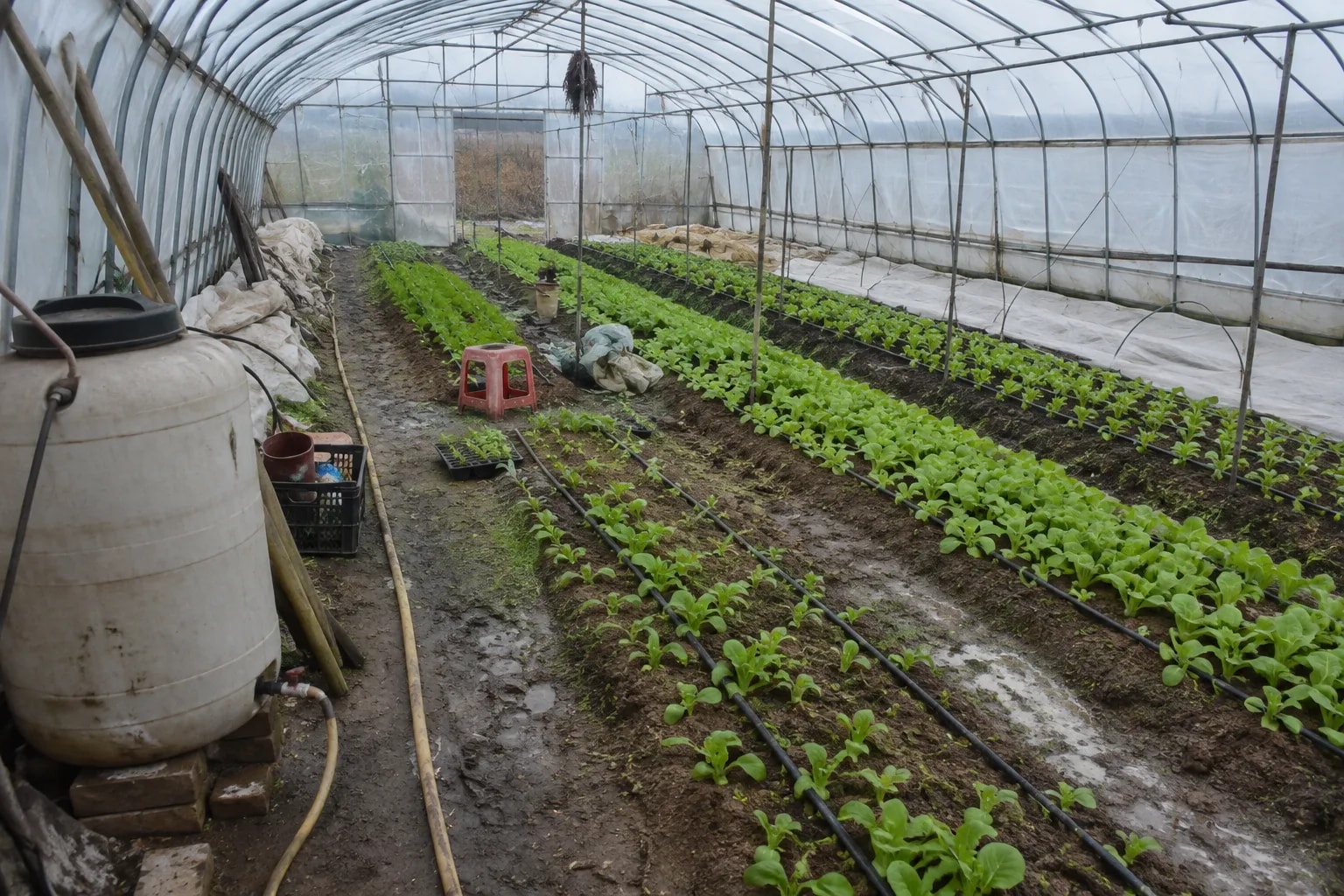
Greenhouse growing
Vegetable houses, seedling greenhouses. Soil moisture and EC decide when to water and when to feed.
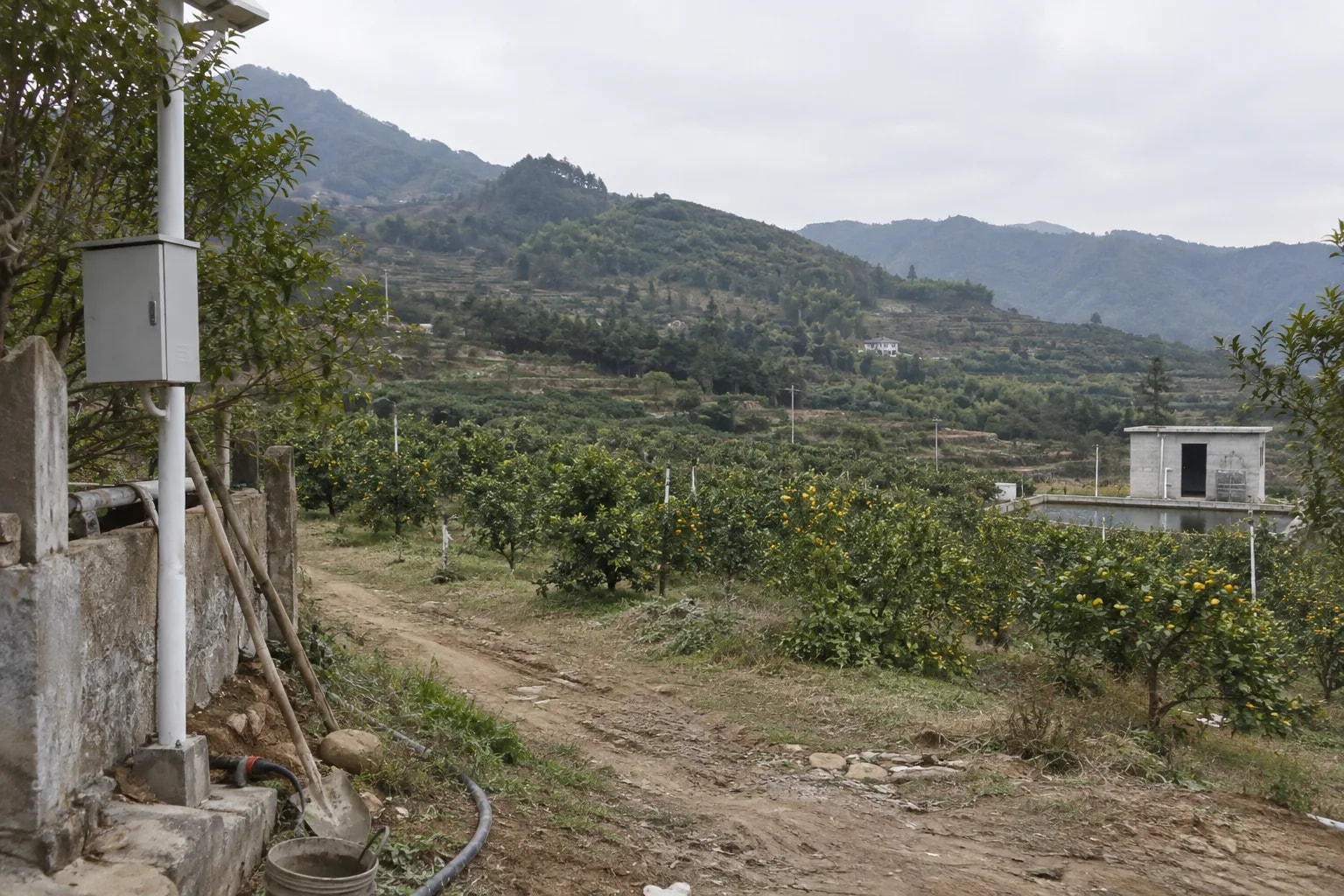
Open fields and orchards
Contiguous farmland, hillside orchards. One gateway covers several points; rainfall and soil temperature matter most.
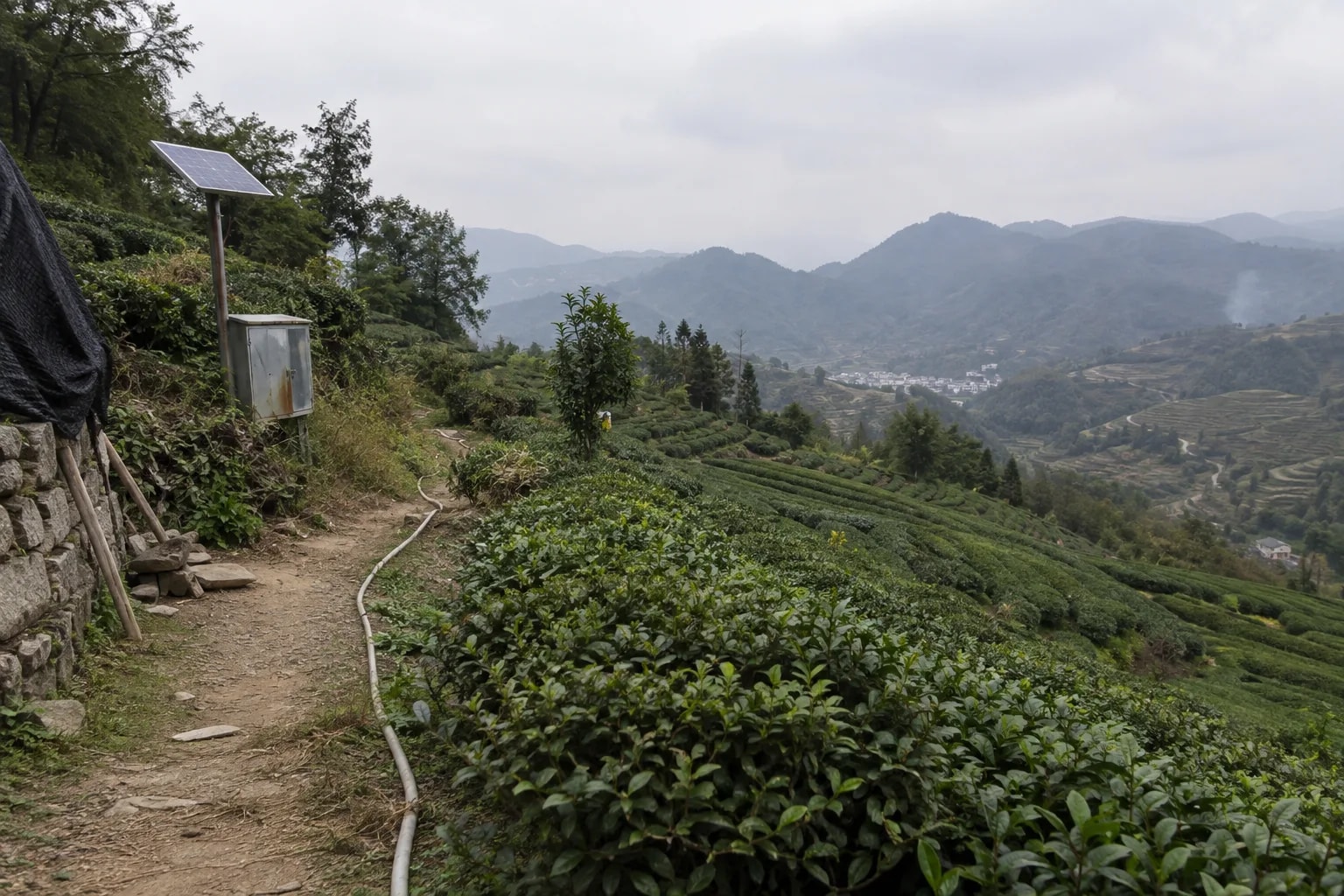
Sites with no internet
Hillside tea gardens, off-grid trial plots. The network server runs on the gateway and data stays on site.
Not a fit: readings on demand, because nodes report on their own cycle. Values pass through unscaled, so accuracy is the node specification. Nodes and gateway must share one regional band.
How it works
SenseCAP S210x nodes take the readings, a SenseCAP M2 gateway (or a reComputer R12 Series LoRaWAN gateway) relays them to a Home Assistant host, and a browser dashboard shows them.
Four things: the LoRaWAN nodes that measure, a gateway that hears them, a network server that decodes the uplink, and one Linux host running Home Assistant, an MQTT broker and the bridge. Which network server you use is the only real choice — the nodes and the dashboard host are the same in all three paths.
LoRaWAN Nodes
SenseCAP S210x nodes measure and report; nothing runs on them and nothing is deployed to them. What they measure decides what appears on the dashboard.
| Node type | Typical measurements | Notes |
|---|---|---|
| S210x air / soil sensors | Air temperature and humidity, soil temperature, soil moisture, EC, CO2, light, rainfall — depending on the variant | The reporting cycle is a node setting; the offline threshold follows it |
| S2100 data logger | Whatever an RS485 or analogue probe reports — for example the S-Soil MTEC-02B soil probe or the S-pH-01B pH probe | Brings RS485 probes onto the same LoRaWAN network |
| T1000 tracker | Position, temperature, light | Used in the offline acceptance scenario |
The band is a purchase decision, not a configuration. Nodes and gateway must be ordered for the same regional band (EU868, US915, AS923…), and a mismatch can only be fixed by replacing hardware. The two self-hosted paths also need each node's DevEUI, JoinEUI and AppKey.
Gateway and Network Server
This is the only part that differs between the three paths.
| Path | Gateway | Network server runs on | What it costs you |
|---|---|---|---|
| SenseCAP cloud | M2, or any gateway already forwarding to SenseCAP | Seeed's cloud | A SenseCAP API key pair and outbound internet |
| Local ChirpStack | M2 | The M2 itself, switched in its web interface | Nothing beyond the gateway — the shortest path to a fully local site |
| Self-hosted The Things Stack | reComputer R12 Series (LoRaWAN gateway) | The same gateway, in Docker with Postgres and Redis | The most setup work and resource use of the three |
On the two self-hosted paths the decoder must be installed on the network server. SenseCAP uplinks are binary, and without a decoder no entity can appear. The decoder source is Seeed-Solution/SenseCAP-Decoder, linked rather than shipped because its licence is unconfirmed.
Dashboard Host
One Linux machine with Docker carries Home Assistant, an MQTT broker and the bridge. It needs no inbound internet access, and on the local ChirpStack path no internet at all.
- Mapping — 58 SenseCAP measurement types are configured, 55 enabled by default; adding a quantity is a configuration row.
- Deduplication — the cloud backfill and the live stream never count the same reading twice.
- Availability — a node silent for longer than the threshold shows as unavailable, with its last value kept.
A Lovelace dashboard and threshold automations ship with the package and are imported at the last step, so the deployment ends on a screen with values on it. The data interface is listed under “What you get out of it” below.
How well it works
What you see in the Home Assistant dashboard once it is running.
Measured results
Capacity and baseline figures based on local replay-bench checks and sensor node nominal specifications.
| Metric | Typical | Device | Deployment Note |
|---|---|---|---|
| Sensor uplink & battery life | 5-minute interval (5–10 years nominal battery) | SenseCAP S210x Nodes | Industrial ER34615 battery; configurable 1–60 min reporting |
| Gateway capacity & range | Up to 200 nodes, 2–10 km line-of-sight | SenseCAP Outdoor Gateway | Long-range LoRaWAN telemetry across farmland and terrain |
| Local dashboard refresh | 5-second refresh, local disk caching | Monitoring Edge Host | Local Home Assistant stack operating autonomously without internet |
This is an operations dashboard, not a certified measurement chain. For detailed benchmark records and offline replay steps, see Engineering Wiki · Agricultural Environment Monitoring.
What you get out of it
Once deployed, these three retained MQTT topics on port 1883 are the whole interface.
| Topic | Payload | Retained |
|---|---|---|
homeassistant/sensor/sensecap_<deveui>/<entity_key>/config | Home Assistant MQTT discovery config, one per entity — entities appear on their own | Yes |
agri_env/sensecap_<deveui>/<entity_key>/state | The value of one measurement, e.g. 33.8 | Yes |
agri_env/sensecap_<deveui>/availability | online / offline | Yes |
The full DevEUI is part of every name, so nodes whose addresses share a suffix do not collide. Values are passed through with the configured unit and are not scaled. Changing the naming rule later means clearing retained messages and the Home Assistant entity registry together; the steps are in the engineering wiki.
Porting It to Your Own System
The reusable unit is not "agriculture" — it is the chain LoRaWAN uplink → network server → id-to-semantics mapping → MQTT discovery → Home Assistant entity. Only the mapping table is bound to this set of sensors, and it is data, not code.
| Layer | What porting costs you |
|---|---|
| LoRaWAN nodes, gateway and the three network-server paths | reuse as-is |
| Bridge: deduplication, availability watchdog, MQTT discovery | reuse as-is |
| Topic structure, entity naming, Lovelace dashboard | reuse as-is |
| Mapping table (unit, device class, state class per measurement) | add a row per new quantity |
| Threshold automations | rewrite for the new process |
The mapping file already carries ids for water quality (pH, dissolved oxygen, turbidity, TDS), weather (wind, solar radiation, pressure) and building or cold-chain sensing.
Where this shape does not fit
- Sub-minute sampling. Nodes report on their own LoRaWAN cycle.
- Downlink control. This design is uplink only.
- Dashboards that must survive a broker outage. The broker is a single point of failure for all three paths.
How to deploy
Tell us about your site — we work out the hardware, then you connect the data and follow the steps.
Configure yours
Tell us about your site — we work out the hardware.
Data Destination
Can the data leave the site?
Configure yours
Tell us about your site — we work out the hardware.
Sensor nodes and a dashboard host
The gateway you already have keeps doing its job. Home Assistant, the MQTT broker and the bridge run on one ARM64 host; if you already have a Linux machine with Docker, drop that line and use it instead.
硬件/物料名称 数量 型号/SKU 说明 SenseCAP S210x sensor node 3 114992867 - Dashboard host (reRouter CM4) 1 110110110 - Sensor nodes, data logger and a dashboard host
Adds an S2100 data logger so existing RS485 or analogue probes report on the same LoRaWAN network and land in the same entity naming scheme. One logger per probe group.
硬件/物料名称 数量 型号/SKU 说明 SenseCAP S210x sensor node 3 114992867 - SenseCAP S2100 data logger 1 114992872 - RS485 soil moisture, temperature and EC probe (S-Soil MTEC-02B) 1 314990621 - Dashboard host (reRouter CM4) 1 110110110 - Gateway, sensor nodes and a dashboard host
One M2 gateway covers several sensor points. It forwards to the SenseCAP cloud as shipped. Order the M2 and the nodes on the same regional band.
硬件/物料名称 数量 型号/SKU 说明 SenseCAP S210x sensor node 3 114992867 - SenseCAP M2 LoRaWAN gateway 1 114992981 - Dashboard host (reRouter CM4) 1 110110110 - Gateway, nodes, data logger and a dashboard host
The gateway package plus an S2100 data logger for existing RS485 or analogue probes. Order the gateway, the nodes and the logger on the same regional band.
硬件/物料名称 数量 型号/SKU 说明 SenseCAP S210x sensor node 3 114992867 - SenseCAP S2100 data logger 1 114992872 - RS485 soil moisture, temperature and EC probe (S-Soil MTEC-02B) 1 314990621 - SenseCAP M2 LoRaWAN gateway 1 114992981 - Dashboard host (reRouter CM4) 1 110110110 - Local ChirpStack — sensor nodes and a dashboard host
Your existing gateway runs ChirpStack as the network server — built into a SenseCAP M2, or in Docker on a reComputer R12 Series gateway. Home Assistant, the MQTT broker and the bridge run on one ARM64 host; nothing leaves the site.
硬件/物料名称 数量 型号/SKU 说明 SenseCAP S210x sensor node 3 114992867 - Dashboard host (reRouter CM4) 1 110110110 - Local ChirpStack — sensor nodes, data logger and a dashboard host
The local ChirpStack package plus an S2100 data logger, so existing RS485 or analogue probes report on the same on-site LoRaWAN network. One logger per probe group.
硬件/物料名称 数量 型号/SKU 说明 SenseCAP S210x sensor node 3 114992867 - SenseCAP S2100 data logger 1 114992872 - RS485 soil moisture, temperature and EC probe (S-Soil MTEC-02B) 1 314990621 - Dashboard host (reRouter CM4) 1 110110110 - Local ChirpStack — M2 gateway, sensor nodes and a dashboard host
One SenseCAP M2 gateway covers several sensor points and runs ChirpStack itself; switching its network server to local ChirpStack is a setting in its web interface. Order the M2 and the nodes on the same regional band.
硬件/物料名称 数量 型号/SKU 说明 SenseCAP S210x sensor node 3 114992867 - SenseCAP M2 LoRaWAN gateway (runs ChirpStack) 1 114992981 - Dashboard host (reRouter CM4) 1 110110110 - Local ChirpStack — M2 gateway, nodes, data logger and a dashboard host
The M2 local ChirpStack package plus an S2100 data logger for existing RS485 or analogue probes. Order the gateway, the nodes and the logger on the same regional band.
硬件/物料名称 数量 型号/SKU 说明 SenseCAP S210x sensor node 3 114992867 - SenseCAP S2100 data logger 1 114992872 - RS485 soil moisture, temperature and EC probe (S-Soil MTEC-02B) 1 314990621 - SenseCAP M2 LoRaWAN gateway (runs ChirpStack) 1 114992981 - Dashboard host (reRouter CM4) 1 110110110 - Nodes, a The Things Stack gateway host and a dashboard host
A reComputer R12 Series LoRaWAN gateway runs The Things Stack with its Postgres and Redis; a reRouter CM4 runs Home Assistant, the broker and the bridge. Your existing gateway forwards to the stack, and the R12 adds its own radio on the same regional band.
硬件/物料名称 数量 型号/SKU 说明 SenseCAP S210x sensor node 3 114992867 - The Things Stack host (reComputer R12 Series LoRaWAN gateway) 1 100079154 - Dashboard host (reRouter CM4) 1 110110110 - Nodes, data logger, a The Things Stack gateway host and a dashboard host
The Things Stack package plus an S2100 data logger and an RS485 soil probe. Your existing gateway keeps forwarding to the stack on the reComputer R12 Series gateway.
硬件/物料名称 数量 型号/SKU 说明 SenseCAP S210x sensor node 3 114992867 - SenseCAP S2100 data logger 1 114992872 - RS485 soil moisture, temperature and EC probe (S-Soil MTEC-02B) 1 314990621 - The Things Stack host (reComputer R12 Series LoRaWAN gateway) 1 100079154 - Dashboard host (reRouter CM4) 1 110110110 - Nodes, a self-built gateway and a dashboard host
A reComputer R12 Series LoRaWAN gateway carries the packet forwarder and The Things Stack; a reRouter CM4 runs Home Assistant, the broker and the bridge. The gateway and the nodes must be ordered on the same regional band.
硬件/物料名称 数量 型号/SKU 说明 SenseCAP S210x sensor node 3 114992867 - LoRaWAN gateway and The Things Stack host (reComputer R12 Series) 1 100079154 - Dashboard host (reRouter CM4) 1 110110110 - Nodes, data logger, a self-built gateway and a dashboard host
The fullest package — a reComputer R12 Series LoRaWAN gateway that also hosts The Things Stack, an S2100 with an RS485 soil probe, and a reRouter CM4 for Home Assistant, the broker and the bridge.
硬件/物料名称 数量 型号/SKU 说明 SenseCAP S210x sensor node 3 114992867 - SenseCAP S2100 data logger 1 114992872 - RS485 soil moisture, temperature and EC probe (S-Soil MTEC-02B) 1 314990621 - LoRaWAN gateway and The Things Stack host (reComputer R12 Series) 1 100079154 - Dashboard host (reRouter CM4) 1 110110110 -
Or compare them yourself: preset specificationsDeployment Guide · 45min →
Hardware Equipment List by Preset
| Setup | Role | Device | Qty |
|---|---|---|---|
| SenseCAP Cloud | Sensor Nodes | SenseCAP S21xx LoRaWAN Sensor Series | 3 |
| LoRaWAN Gateway | SenseCAP M2 Multi-Platform LoRaWAN Indoor Gateway | 1 | |
| Dashboard Host | Linux Host | 1 | |
| Custom Ops Dashboard | Dashboard Host | reComputer R1000 Series / Linux Host(either one) | 1 |
| Local Network Server | Sensor Nodes | SenseCAP S21xx LoRaWAN Sensor Series | 3 |
| Network Server | SenseCAP M2 Multi-Platform LoRaWAN Indoor Gateway / reComputer R1225 LoRaWAN Gateway Series(either one) | 1 | |
| Dashboard Host | Linux Host | 1 |
Technical Specifications & Implementation Comparison
| Preset | Network server | Extra hardware | Needs internet | Verify by |
|---|---|---|---|---|
| SenseCAP Cloud | Seeed's cloud | None beyond the gateway you already have | Yes, outbound | Home Assistant dashboard |
| Self-hosted The Things Stack | Your gateway, in Docker | reComputer R12 Series (LoRaWAN gateway) | No | Home Assistant dashboard |
| Local ChirpStack | The M2 gateway itself, or a Linux host in Docker | None beyond the M2 | No | Home Assistant dashboard |
All three presets carry the upstream badge Beta and close out the same way: the last deployment step imports the Lovelace dashboard and the entities must appear on it with values. Difficulty is rated intermediate and the estimated time is 45 minutes; the The Things Stack preset takes longest because the concentrator has to be fitted and the stack brought up with its own Postgres and Redis.
FAQ
On the Local ChirpStack and self-hosted The Things Stack paths, yes — the network server, broker, bridge and Home Assistant all run on site. The SenseCAP Cloud path reads Seeed's cloud, so it needs outbound internet and a SenseCAP API key pair.
No. On the SenseCAP Cloud path the nodes keep reporting as they do now; the bridge pulls their history through the OpenAPI and subscribes to the live stream. No gateway or radio work is involved.
Whatever the nodes report, as long as the measurement id is in the mapping table. The table maps 58 SenseCAP measurement ids with 55 enabled by default. Adding a quantity means adding a row, not changing code.
The design does not add or correct accuracy — values pass through from the node with the configured unit attached. Sensor accuracy is a node specification. This is an operations dashboard, not a certified metrology chain.
That depends on your site and gateway placement. Size the radio side from the gateway and node datasheets and measure it on your own site before committing.
Its licence is unconfirmed — the repository has no LICENSE file and no licensing section in its README. This design uses only the factual match between an id and a quantity, with a source citation per entry. Confirm the licensing position with Seeed before distributing the decoder with a deployment.
No entity appears. SenseCAP uplinks are binary, so without a decoder the network server hands the bridge bytes with no measurements in them. The bridge cannot recover what the network server did not decode.
Nodes and gateway must be on the same regional band, which cannot be fixed in software. The self-hosted paths need each node's DevEUI, JoinEUI and AppKey. The bridge image agri-env-bridge 0.1.0 is not published yet, so build it locally or point the image setting at your own registry.
Didn't find your answer?
Contact Us
We Are Glad to Be Your Hardware Partner !