Interruptible Conversational Voice AI
A voice assistant in Chinese and English that understands and answers on the device, with hardware acceleration doing the work.
A voice terminal that answers on the device and can be interrupted mid-answer. Listening and speaking stay local; the conversation model is either your own cloud endpoint or on-device. Runs on a reComputer RK, a reComputer J30 / J40 (Orin) or a reComputer R2000 series, with the conversation language fixed at deploy time.
Reusable Site Templates
Places where someone speaks out loud, hands busy, and has to be able to cut the answer off.
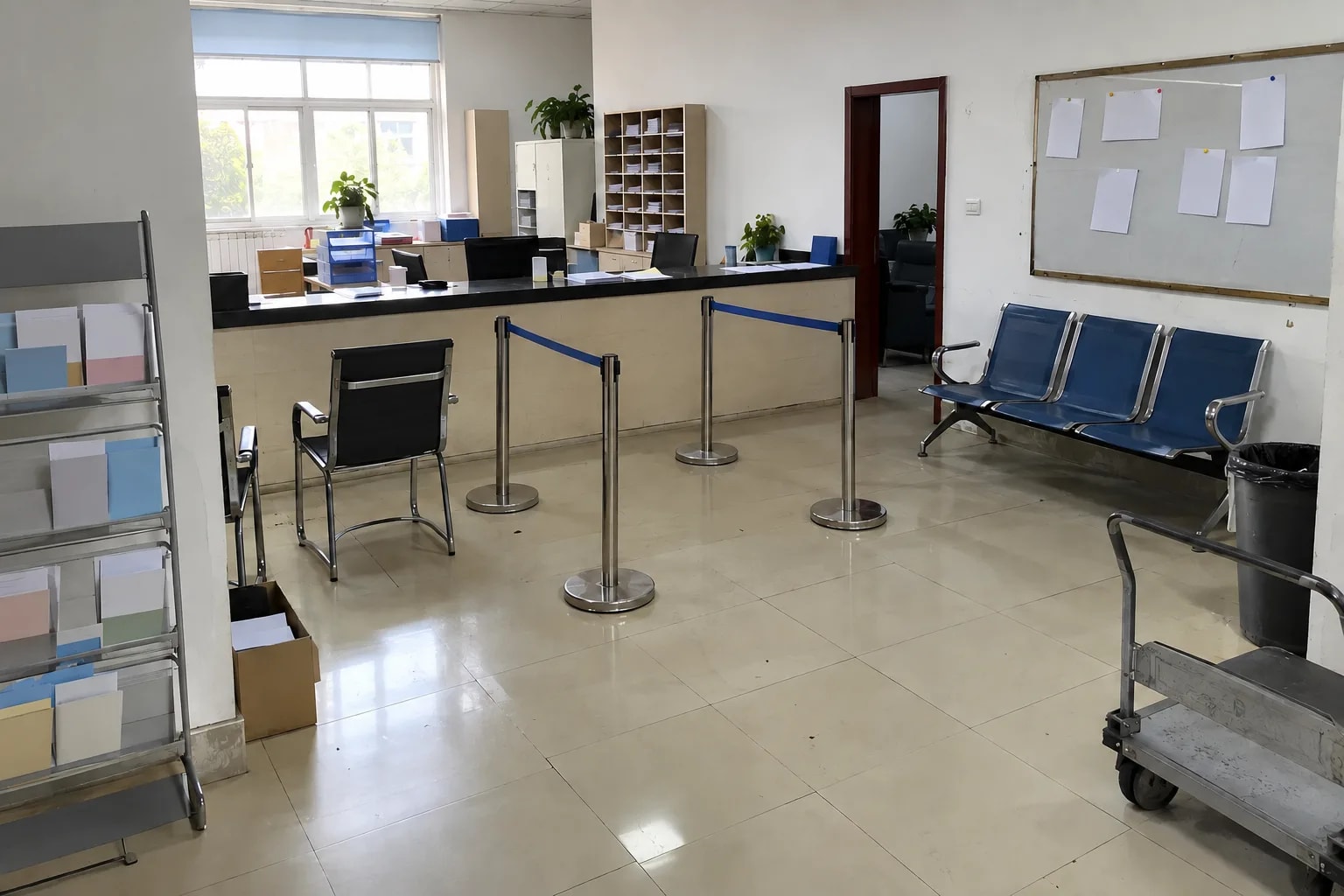
Service desks and exhibits
Government service counters, trade-show booths, in-store advice desks. A wrong answer gets interrupted and asked again.
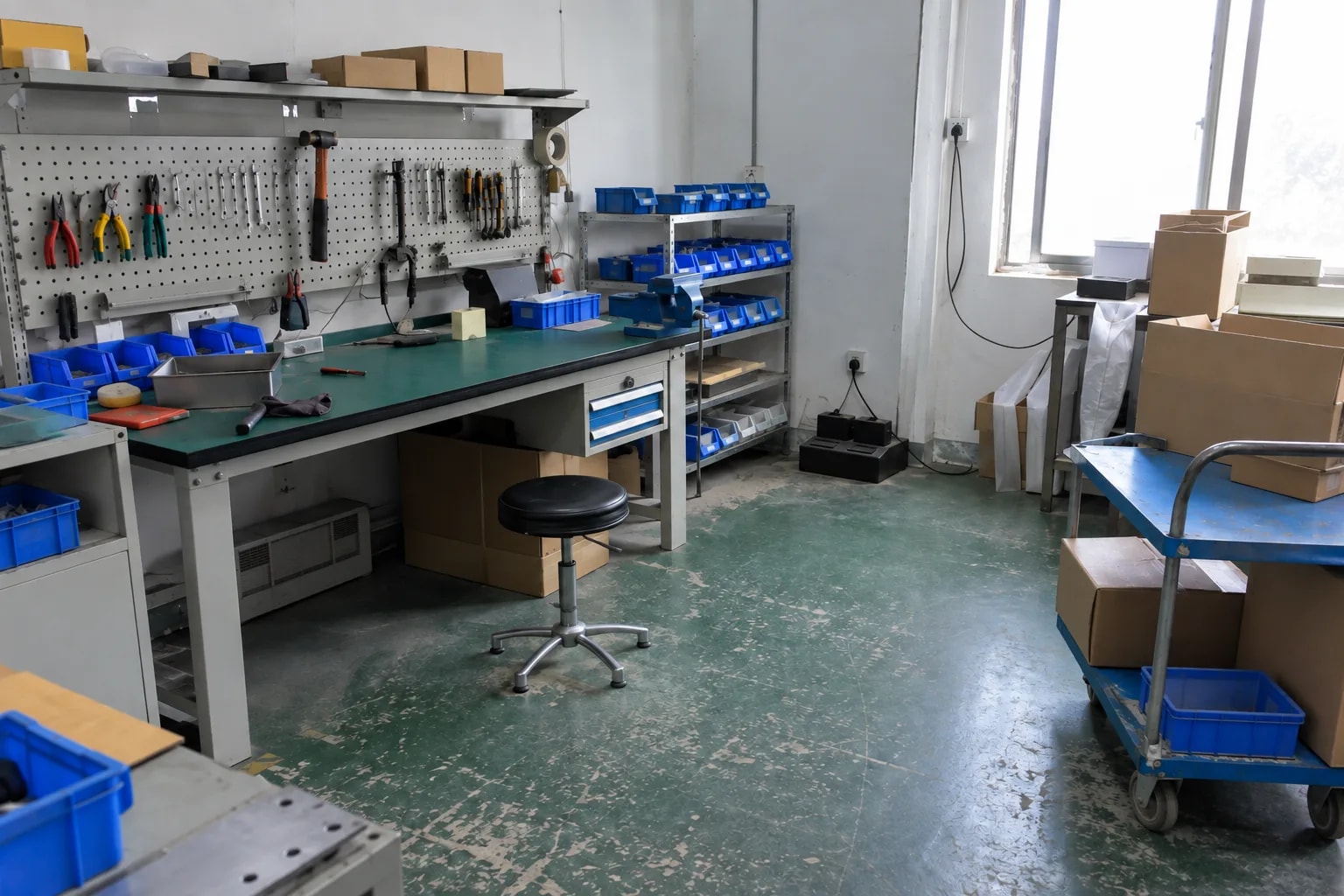
Voice front end for robots and machines
Desktop robots, delivery robots, shop-floor consoles. Whatever sits behind it changes; this layer does not.
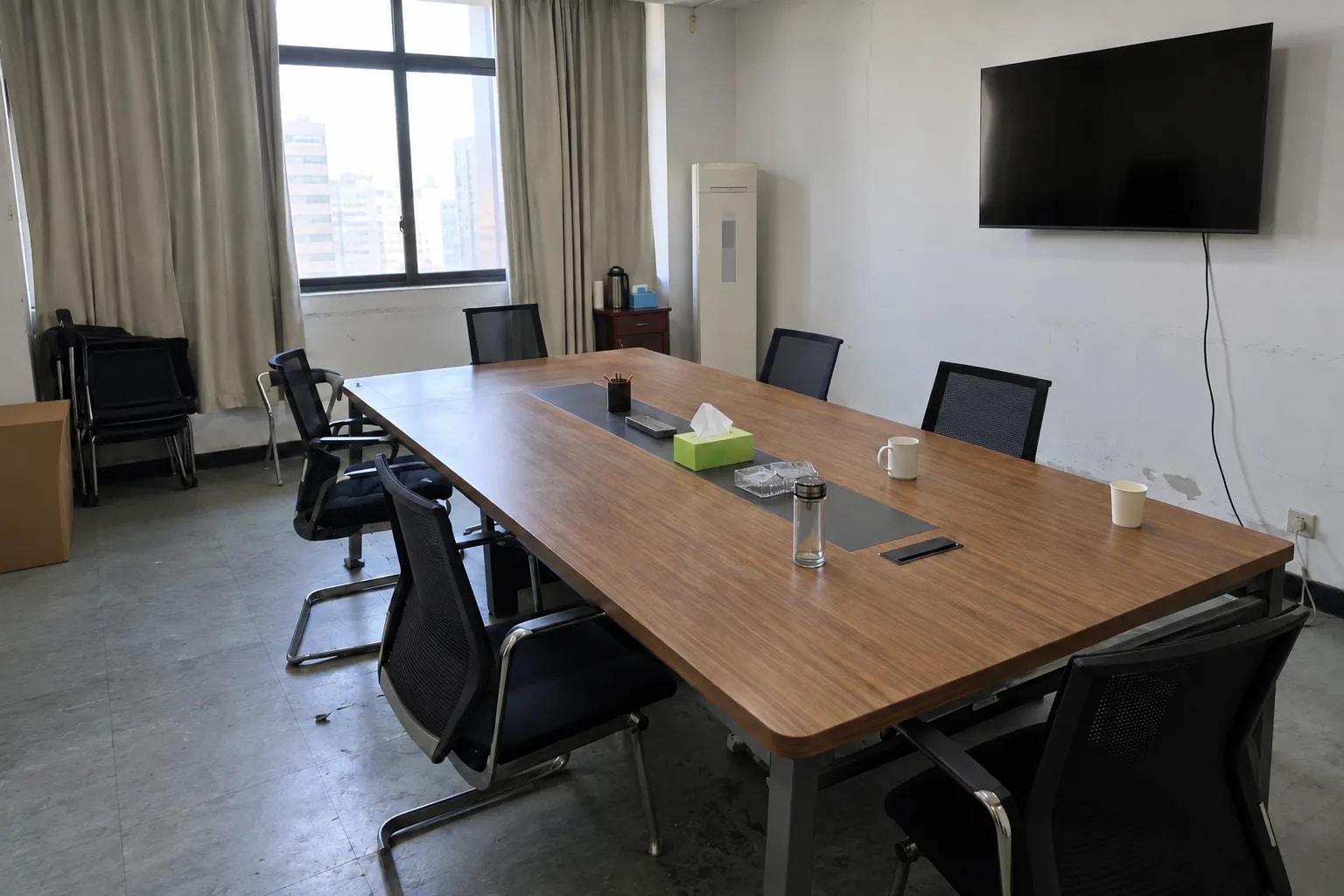
Room and home terminals
Living rooms, meeting rooms, hotel rooms. Far-field speech works and the box never triggers on its own playback.
Not a fit: a microphone without hardware echo cancellation, and Chinese on reComputer R2000 series.
How it works
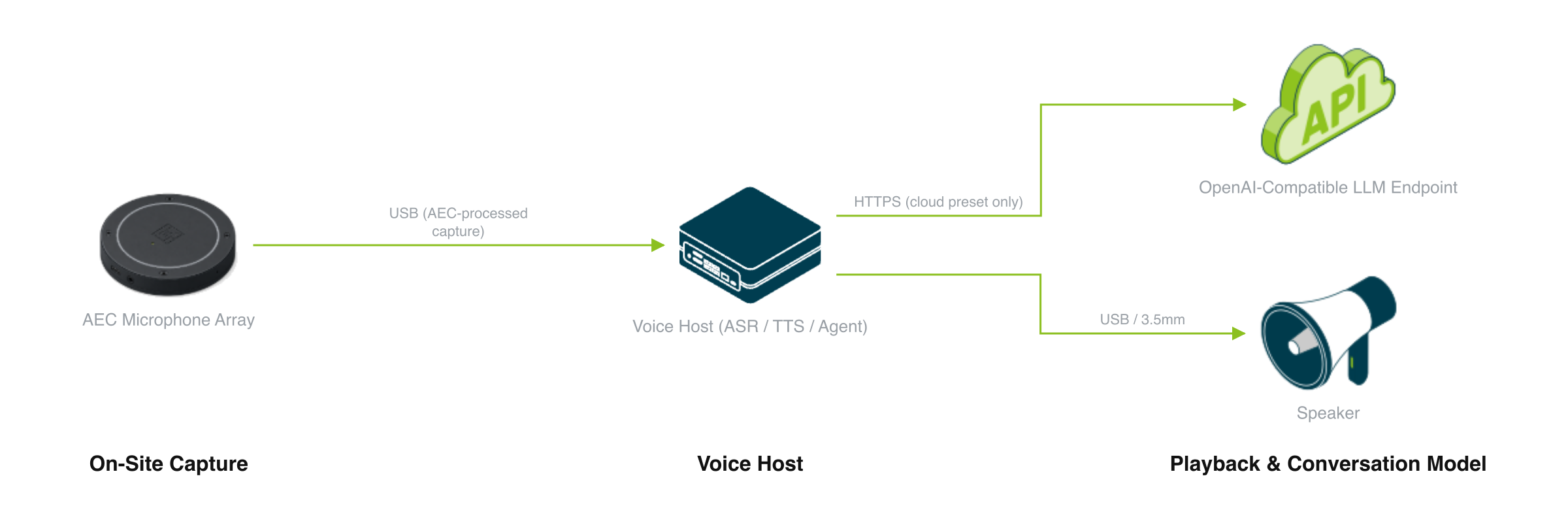
A microphone array captures speech, an edge voice host handles recognition and synthesis, and a speaker plays the reply. The conversation model runs on that host or behind your own endpoint.
Four things: a microphone array that has already removed the echo, a speaker, one edge board that runs recognition, synthesis and the resident agent, and one conversation model that sits either behind an API or on that same board. The first three are always on site. Whether anything crosses the internet is decided by the fourth alone.
On-Site Capture
The microphone is a hard requirement. It must expose a capture channel with echo already removed in hardware; a plain USB microphone re-captures the speaker, and the terminal starts interrupting itself.
- reSpeaker XVF3800 is the validated default — hardware echo cancellation, noise suppression and beamforming over USB, with the processed channel selected automatically.
- Any other array falls back to the first capture channel and needs an acoustic check on site.
- A USB or 3.5 mm speaker plays the reply. Muting the microphone during playback removes barge-in along with the echo.
The microphone can be unplugged and plugged back in while the agent runs; capture recovers without a restart.
Voice Host
One board runs recognition, synthesis and the resident agent, and it decides which languages you can offer.
| Voice host | Chinese | English | Other 28 languages | Local conversation model |
|---|---|---|---|---|
| reComputer RK3576 | Qwen3-ASR W8A8 + Matcha | Qwen3-ASR W8A8 + Matcha | not supported — TTS on this board is Matcha zh-en only | no |
| reComputer RK3588 | Qwen3-ASR W8A8 + Matcha | Qwen3-ASR W8A8 + Matcha | Qwen3-ASR + Kokoro RKNN | with an RK1828 / RM182X card |
| Jetson Orin Nano 8GB | Qwen3-ASR int4 + Matcha | Qwen3-ASR int4 + Matcha | Qwen3-ASR + Qwen3-TTS | no — do not start a 4B model on Nano |
| Jetson Orin NX 16GB | Qwen3-ASR int4 + Matcha | Qwen3-ASR int4 + Matcha | Qwen3-ASR + Qwen3-TTS CustomVoice | Qwen3.5-4B alongside speech |
| reComputer R2000 series | refused | sherpa-onnx CPU | not supported | no |
A language the board cannot serve stops the deployment. Chinese on reComputer R2000 series is refused rather than handed to a model that reads Chinese at 35–56% CER. Of the 18 cells in the matrix, 5 are measured, 10 are deployable but unquantified, and 3 are refused; the full list is in the engineering wiki.
Playback & Conversation Model
This is the only choice that decides whether anything leaves the site.
| Route | What runs it | What it needs |
|---|---|---|
| Cloud or OpenAI-compatible endpoint | Qwen API by default, or any endpoint, key and model you enter | Continuous internet, a valid key, streaming Chat Completions |
| On-device, RK route | Qwen3-4B on an RK1828 / RM182X card behind an RK3588 host | Separate 12 V power and driver for the card; one resident model per card |
| On-device, Jetson route | Qwen3.5-4B on Orin NX 16GB, sharing the board with speech | JetPack 6.2, at least 25 GB free disk, no other GPU containers |
All three routes use the same OpenAI-compatible interface, so switching changes only the model address. After the first online start has cached images and models, the on-device routes run with the network disconnected. The data interface is listed under “What you get out of it” below.
How well it works
The whole conversation, as you watch it happen in a browser panel.
Measured results
Measured on two boards; no conversation model in the loop unless the row says so.
| What the user hears | Typical | Device | With the model |
|---|---|---|---|
| Speaking stops to the first frame of the spoken reply | under 800 ms | reComputer J40 Series | yes |
| Speaking stops to the first frame of the spoken reply | 100 ms p50 | reComputer J40 Series | no |
| Speaking stops to the first frame of the spoken reply | about 1.6 s | reComputer RK3576 | no |
| Speaking stops to the text result | 16 ms p50 | reComputer J40 Series | no |
| Chinese recognition error, short utterances | 1.05% CER | reComputer RK3576 | — |
| English recognition error, short utterances | 3.65% WER | reComputer RK3576 | — |
For the rows without the model, add the response time of whichever model you connect; a cloud endpoint depends on the network round trip. On 10–20 s utterances recognition error rises to 9.62% CER in Chinese and 6.99% WER in English.
The session answers at the first natural pause. Turn detection waits for 400 ms of silence after a 2.5 s minimum, so a long sentence with a pause in the middle is answered after its first clause. For per-device latency and benchmark matrices, see Engineering Wiki · Conversational Voice AI.
What you get out of it
Everything is served by the voice host itself; nothing goes to the cloud unless you point the conversation model outward.
| Interface | Where it runs | What it carries |
|---|---|---|
ws://<host>:8621/v2v/stream | Speech service, every preset | The duplex session: PCM in, transcript and synthesized audio out, plus the abort a barge-in triggers |
POST http://<host>:8621/asr | Speech service | Offline whole-file transcription; the accuracy figures above were measured here |
POST http://<host>:8621/tts | Speech service | Synthesis, with the realtime factor in a response header |
http://<host>:18000 | Agent | Web dashboard — listening / thinking / speaking / barged-in, and each turn's transcript |
http://<host>:1828/v1 | RK1828 card, RK local preset | OpenAI-compatible Chat Completions for the on-device Qwen3-4B |
http://<host>:8000/v1 | Orin NX, Jetson local preset | OpenAI-compatible Chat Completions for the on-device Qwen3.5-4B |
| Conversation model address (outbound) | Cloud preset | Any OpenAI-compatible endpoint; Qwen API by default |
The integration point is the conversation model interface, not a message topic. Point the model address at your own service — an agent framework, a RAG endpoint, a robot command layer — and the speech layer stays unchanged.
Porting It to Your Own System
The reusable unit is the chain hardware echo-cancelled capture → local recognition → one OpenAI-compatible call → local synthesis → interruptible playback. Only one link is bound to what the product does, and it sits behind a URL.
| Layer | What porting costs you |
|---|---|
| Microphone selection, channel detection, hot-plug recovery | reuse as-is |
| Qwen3-ASR and Matcha-TTS across the four accelerator runtimes | reuse as-is |
| Duplex session, barge-in, playback drain | reuse as-is |
| Language and board check, with refusal on unsupported pairs | reuse as-is |
| The service behind the conversation model address | this is where your product goes |
| System prompt and reply-length policy | tune for the new task |
Anything already speaking streaming Chat Completions drops in: a RAG service over your documents, an agent framework with tool calls, a robot command layer, a ticketing or ordering backend.
Where this shape does not fit
- A wake-word-only appliance. For a press-and-speak or single-command device, the always-listening session and barge-in are cost without benefit.
- Deployments that need a stated latency budget. The figures above hold for the board and model each row names; measure end to end on your own configuration.
- Languages outside the 30-language catalogue, and Chinese on reComputer R2000 series. Both are refused at deploy time.
How to deploy
Tell us about your site — we work out the hardware, then you connect the data and follow the steps.
Language
Which language will people speak to it? The board has to be able to both recognize and speak that language back. Not every board can do all of them.
Or compare them yourself: preset specificationsDeployment Guide · 30min →
| Setup | Role | Device | Qty |
|---|---|---|---|
| Cloud or OpenAI-Compatible LLM | Compute Device | reComputer RK3576 Series / reComputer RK3588 Series / reComputer J30 Series (Jetson Orin Nano) / reComputer J40 Series (Jetson Orin NX) / external_raspberry_pi_5(either one) | 1 |
| AEC Microphone | reSpeaker XVF3800 4-Mic Array | 1 | |
| Fully Local Conversation | Local AI Device | reComputer RK3588 Series / reComputer J40 Series (Jetson Orin NX)(either one) | 1 |
| AEC Microphone | reSpeaker XVF3800 4-Mic Array | 1 |
| Preset | Conversation model | Supported voice hosts | Runs offline | Best for |
|---|---|---|---|---|
| Cloud or OpenAI-Compatible LLM | Qwen API by default, or any endpoint / key / model you enter | RK3576 · RK3588 · Orin Nano 8GB · Orin NX 16GB · reComputer R2000 series | No — the model call needs the network | Getting a full conversation working fastest, and any model you already pay for |
| Fully Local Conversation | Qwen3-4B on RK1828 / RM182X, or Qwen3.5-4B on Orin NX 16GB | RK3588 + RK1828 · Orin NX 16GB | Yes, once images and model artifacts are cached | Conversation text that must not leave the site, and a fixed operating cost |
Speech is local on both presets; the preset only decides where the conversation model runs. The cloud preset carries the upstream Recommended badge.
Difficulty is rated intermediate, about 30 minutes; the fully local presets take longer because the first start downloads model artifacts.
FAQ
Yes. Capture stays open during playback, so speech during a reply stops generation, clears the queued audio and opens the next turn. Acceptance is a manual test in the deployment guide — three turns, interrupting 0.5–1 second after each answer starts.
The microphone must expose a hardware echo-cancelled channel; a plain USB microphone re-captures the speaker and the terminal interrupts itself. reSpeaker XVF3800 is the validated default. Other arrays run on their first capture channel and need an on-site acoustic check.
Speech is local on every preset; the conversation model decides the rest. The cloud preset needs continuous API access. The fully local presets run offline once the first online start has cached every image and model.
The catalogue is 30 languages. Chinese and English work on RK3576, RK3588, Orin Nano and Orin NX, and English also on reComputer R2000 series; the other 28 languages need RK3588 or a Jetson. Chinese on reComputer R2000 series is refused.
Whisper's Chinese error is 35–56% CER on every board measured, and a deployment at that rate looks like it works when it does not. The language and board pair is checked before any service starts, so the problem shows up at deploy time.
On reComputer RK3576, Chinese is 1.05% CER on short utterances and 9.62% on 10–20 second clips; English is 3.65% WER short and 6.99% long. Qwen3-ASR on reComputer J40 (Orin NX 16GB) measured CER 0 on the golden set in July 2026. Of the 18 language and board cells, 10 are deployable but unquantified.
The live session ends a turn at the first pause it hears, so a long sentence with a pause is answered after its first clause, which scores as 84.06% CER against the full text. This is the turn-taking design, not a recognition error. Tuning turn detection to sit through a pause is open work.
Point the conversation model address at your own service. Anything that speaks streaming OpenAI-compatible Chat Completions — a RAG service, an agent framework, a robot command layer — drops in without touching the speech layer.
Didn't find your answer?
Contact Us
We Are Glad to Be Your Hardware Partner !