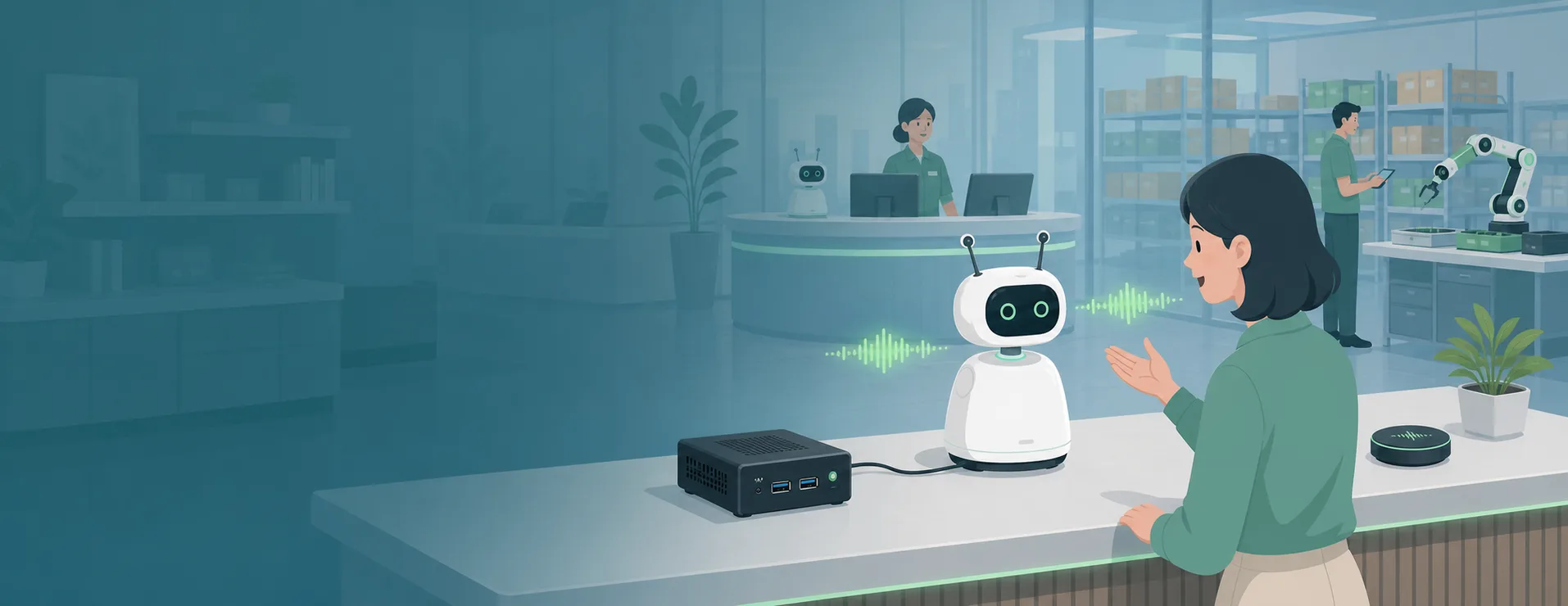
Voice AI hardware follows from three decisions: transcription or conversation, what must run locally, and where the microphone goes. They determine, in turn, whether a speaker and on-board echo cancellation are needed, which compute tier the box sits in, and which microphone model and connection mode to use.
This guide sets out a four-step selection method, with the form factors, rated pickup ranges and reference prices of reSpeaker AI microphones, and measured transcription concurrency, conversation languages and local LLM options for 5 local compute devices. Channel counts are measured on the ASR service with a fixed corpus and exclude VAD, upload and storage — see the measurement basis at the end.
Quick answer
The table below summarises the conclusions derived later. It maps one-to-one to the three questions in the configurator on the Acoustic & Audio AI Tech page (what to do / what runs locally / where the microphone goes).
| Job | What runs locally | Compute device | Reference price | Microphone | Basis | |
|---|---|---|---|---|---|---|
 | Transcription | Local transcription | reRouter CM4 | ~$246 | Desk: reSpeaker Lite | VAD and ASR on the CPU, 1–2 speakers at a single site; for concurrent sites choose RK3576 |
 | Transcription | Local transcription | reComputer RK3576 | ~$199 | Room: reSpeaker XVF3800 / Worn: reSpeaker Clip | SenseVoice 12 concurrent channels, p95 1067 ms |
 | Transcription | Cloud transcription | None | — | Lite / XVF3800 / Clip | Audio uploaded to SenseCraft Voice for transcription; microphone only |
| Conversation or barge-in conversation | Speech local, LLM in the cloud | reComputer RK3576 | ~$199 | XVF3800 / Flex (Lite if no barge-in) | Local VAD, ASR and TTS; only recognised text goes to the LLM |
 | Conversation or barge-in conversation | Everything local (incl. LLM) | reComputer J4012 | ~$1299 | XVF3800 / Flex (Lite if no barge-in) | Speech and Qwen3.5-4B on one board |
| Conversation or barge-in conversation | Everything in the cloud | reRouter CM4 | ~$246 | XVF3800 / Flex (Lite if no barge-in) | Local VAD and audio I/O only; needs a constant connection |
Reference prices are for the compute device at the time of lookup and exclude the microphone (microphone prices are in Step 2); the product page is authoritative when ordering.
Three conditions change the table above:
- Barge-in required — the microphone is limited to reSpeaker XVF3800 or reSpeaker Flex, whose on-board AEC removes the device's own playback; the configurator's barge-in routes do not include Lite
- Conversation languages beyond Chinese and English — the reComputer RK3576 conversation pipeline covers Chinese and English; for other languages choose reComputer RK3588, J3011 or J4012, which cover all 30 conversation languages
- Speaker more than ~3 m from the microphone, or steady noise above ~70 dB — adjust microphone position or count before sizing compute; recognition accuracy degrades under these two conditions before compute becomes the limit
If you already know the job, the local scope and the microphone position, use the configurator below to generate the device list; to see the basis for each choice first, read the four steps.
Why voice processing runs locally
"What runs locally" is an explicit option in the four steps below. The choice rests on three properties of local processing.
Audio stays on site. With local transcription, VAD and ASR run on site and only the final text of each utterance is uploaded. With speech local and the LLM in the cloud, only the recognised text leaves the site.
Offline operation after setup. On the fully local conversation route, once the first online start has downloaded the images and models, VAD, ASR, TTS and the LLM all run on the device without an internet connection.
Same interface as the cloud. Both local LLM routes (reComputer J4012, and reComputer RK3588 with an NPU expansion card) expose an OpenAI-compatible Chat Completions endpoint on the device. Switching between local and cloud changes only the endpoint address; the application above it is unchanged.
System anatomy and three voice capabilities
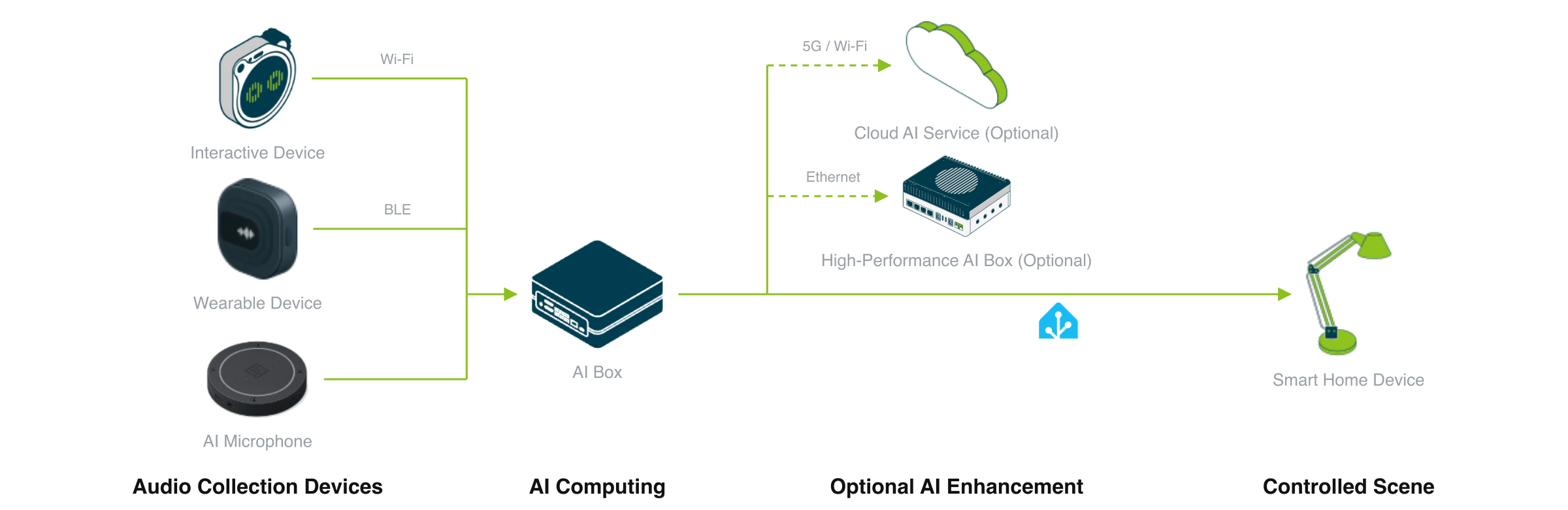
AI microphone → compute box → speaker / output → application
A voice system has four roles:
- AI microphone — picks up sound and runs front-end processing on the board (acoustic echo cancellation (AEC), noise suppression, beamforming) before handing audio to the host
- Compute box — runs whatever must stay local: voice activity detection (VAD), speech recognition (ASR), speech synthesis (TTS) and the large language model (LLM)
- Speaker / output — conversation routes play replies through a speaker connected to the microphone board, so playback and echo cancellation share one board; transcription routes output text only
- Application — receives text or voice and connects to business systems
By interaction type, voice applications fall into three classes, each needing more capability than the last.
Transcription: turn speech into searchable text
Conversations at store counters, meeting rooms, clinics and inspection sites are converted into structured text for review and search. The device does not reply, so TTS, an LLM and a speaker are not needed. What is needed is VAD (cutting out segments where someone speaks) and ASR.
Conversation: understand and answer by voice
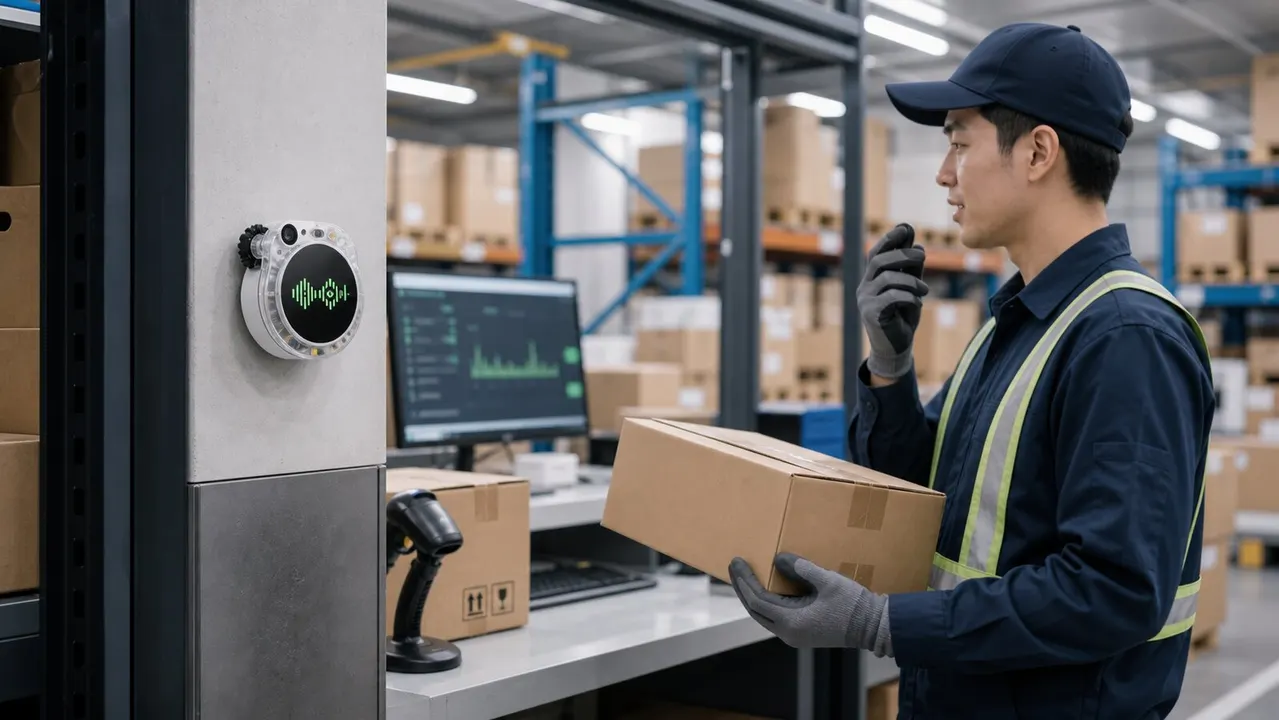
At hands-busy workstations, voice queries and replies replace screen interaction
The device hears a question, an LLM generates the reply, and TTS plays it back, one turn at a time. On top of the VAD and ASR used for transcription, this adds TTS, an LLM and a speaker.
Barge-in conversation: users can interrupt while the device speaks
While the device is playing a reply, the user starts speaking and the device stops playback at once to listen to the new utterance. The microphone must still separate the human voice while the speaker is playing, which depends on AEC on the microphone board. Do not mute the microphone during playback to avoid echo: the echo disappears, and so does the ability to interrupt.
Step 1: Fix the job and derive the capabilities it needs
| Job | VAD | ASR | TTS | LLM | Speaker | On-board AEC |
|---|---|---|---|---|---|---|
| Transcription | Yes | Yes | — | — | — | — |
| Conversation | Yes | Yes | Yes | Yes | Yes | Yes (Lite, XVF3800 and Flex all have it) |
| Conversation with barge-in | Yes | Yes | Yes | Yes | Yes | Yes, XVF3800 / Flex only |
Two rules:
- Text only, the device never replies: take the transcription route. Step 2 allows the wearable Clip, and Step 3 allows no compute box (cloud transcription)
- The device replies: the microphone board needs speaker output and on-board AEC; if users will talk over the device while it speaks, Step 2 is limited to XVF3800 or Flex
Step 2: Fix the pickup and connection mode
Choose the model by where the microphone goes
| Microphone | Form factor | Rated pickup range | Coverage | On-board amplifier | Fits | Reference price | |
|---|---|---|---|---|---|---|---|
 | reSpeaker Lite | Desk · dual mic | 3 m | 180° | 5 W | Desk near-field, one or two people; transcription, conversation | ~$25 |
 | reSpeaker XVF3800 | Placed · circular 4-mic | 5 m | 360° | 5 W | Middle of a room, several people; transcription, conversation, barge-in | ~$55 |
 | reSpeaker Flex Circular-4 | Split-board · circular 4-mic | 5 m | 360° | 10 W | Built into robots or products; conversation, barge-in | ~$55 |
 | reSpeaker Flex Linear-4 | Split-board · linear 4-mic | 5 m | ~180° (rear suppressed) | 10 W | Products that need front-facing pickup only | ~$55 |
| reSpeaker Clip | Wearable · dual mic | 3 m | 360° | — | Inspection, field work, in-store assistants; transcription only | ~$76 |
Four selection rules:
- A room with several people, or barge-in needed: choose XVF3800. 360° pickup, on-board AEC and noise suppression, and one USB-C cable for power and data; it is the default microphone of the conversational voice reference design
- The microphone goes inside a robot or product enclosure: choose Flex. The array board and processing board are separate and joined by a ribbon cable, so the array can sit anywhere in the enclosure; for front-facing pickup only, choose Linear-4. 10 W speaker loads are driven through the board's external 12 V power terminal
- One or two people at a desk, transcription or conversation without barge-in: choose Lite
- The speaker moves around (inspection, field work, in-store assistance): choose Clip. It records for 14–18 hours without a phone nearby and uploads audio through the phone app; transcription only
Choose the connection by where the host sits
| Connection | Audio path | Fits |
|---|---|---|
| USB to host (driverless) | Microphone → USB → compute box | Microphone and compute box in the same place; every bundle in this guide's configurator uses this mode |
| I2S + XIAO ESP32S3 | Microphone → I2S → XIAO ESP32S3 → Wi-Fi → server | Microphone and host in different places, or the product carries only an MCU |
- Microphone and compute box in one place: connect over USB and buy the version without XIAO, which works out of the box
- Microphone far from the host, or only an MCU in the product: buy the version with XIAO ESP32S3 and flash the I2S firmware; the server-side audio receiver and transcription must be deployed separately, so delivery effort is higher than on the USB route. Firmware and example projects are on the reSpeaker XVF3800 Wiki
- Clip uses neither mode; audio is uploaded through the phone app
Scope. Pickup range and coverage are rated values; actual range on site depends on reverberation and noise, checked in Step 4.
Step 3: Decide what runs locally and choose the compute tier
Local scope options
| Local scope | Runs locally | What is uploaded | Connectivity | Compute |
|---|---|---|---|---|
| Cloud transcription (transcription only) | Nothing | Audio | Constant | No compute box |
| Local transcription (transcription only) | VAD · ASR | Final text of each utterance | When uploading text | reRouter CM4 / reComputer RK3576 |
| Speech local, LLM in the cloud | VAD · ASR · TTS | Recognised text | Constant | reComputer RK3576 / RK3588 |
| Everything local (incl. LLM) | VAD · ASR · TTS · LLM | Nothing | Offline after first start | reComputer J4012, or RK3588 + NPU expansion card |
| Everything in the cloud (conversation) | VAD and audio I/O | Audio | Constant | reRouter CM4 |
Measured results by compute tier
| Device | Runs locally | SenseVoice recommended concurrent channels | p50 / p95 | Conversation languages | Local LLM | Reference price | |
|---|---|---|---|---|---|---|---|
| reRouter CM4 | VAD · ASR (CPU) | 1–2 speakers at a single site only; for concurrent sites choose RK3576 | — | — | — | ~$246 |
| reComputer RK3576 | VAD · ASR · TTS (NPU) | 12 | 583 / 1067 ms | Chinese, English | In the cloud | ~$199 |
 | reComputer RK3588 | VAD · ASR · TTS (NPU) | 8 | 659 / 902 ms | 30 | Qwen3-4B with an NPU expansion card | ~$279 |
 | reComputer J3011 | VAD · ASR · TTS (GPU) | 32 | 167 / 293 ms | 30 | No 4B model on this board | ~$699 |
| reComputer J4012 | VAD · ASR · TTS · LLM | 48 | 505 / 789 ms | 30 | Qwen3.5-4B on the same board | ~$1299 |
Test conditions: SenseVoice model, each clip no longer than 4 seconds, p50 / p95 timed from ASR end-of-speech to final result, excluding VAD, upload and storage. Accuracy was evaluated separately on one 100-item corpus: Chinese CER is 4.82% on all 4 devices, and English WER ranges from 7.50% to 8.51%. Reference prices are whole-unit prices at the time of lookup; the product page is authoritative.
Four selection rules:
- Transcription only, single site, one or two speakers: reRouter CM4 is sufficient; for multiple sites or concurrent channels choose reComputer RK3576
- Conversation with a cloud LLM: reComputer RK3576 for Chinese and English; reComputer RK3588 for other languages
- Fully local conversation: choose reComputer J4012; for projects already on the RK platform, reComputer RK3588 with an NPU expansion card (contact a solution expert)
- The same device also runs vision or other AI workloads: choose reComputer J3011, with the LLM in the cloud
Scope. The table is a side-by-side comparison on one corpus and one ASR service, for narrowing the selection range; it is not an acceptance metric. Test on the target site when: individual utterances are well over 4 seconds; VAD, upload and storage must be counted in end-to-end latency; the main language is English or a language other than Chinese and English; or reRouter CM4 is used for formal capacity planning.
Step 4: Check site acoustics
Compute sizing only holds if the microphone receives recognisable speech. Check in this order: distance and noise first, then echo.
| Site condition | Reference boundary | When exceeded |
|---|---|---|
| Distance from speaker to microphone | Within ~3 m | Move the microphone closer or add microphones per zone; use Clip for speakers who move around |
| Steady background noise | Below ~70 dB | Adjust microphone orientation and position away from noise sources; test recognition accuracy with on-site recordings before go-live |
| Device playing its own replies (conversation) | On-board AEC active | Connect the speaker to the microphone board; use XVF3800 or Flex |
Beyond ~3 m or above ~70 dB of steady noise, the array can no longer separate the speaker, and word error rate degrades before compute has any effect. These two boundaries come from the scope notes of the retail voice transcription reference design; they serve as site-survey guidelines rather than test thresholds.
Acceptance test for barge-in conversation: set the speaker to normal room volume, run three consecutive rounds in a real room, interrupt 0.5–1 second after each reply starts, and confirm that the old reply stops at once and the interruption is not lost. A terminal that passes at low volume can fail at working volume for purely acoustic reasons, unrelated to the model.
For solution providers and system integrators: from proof to delivery
If the solution is delivered to downstream customers, confirm the following three items at the selection stage.
Proof path. Conversation and barge-in conversation have a runnable reference design for building a demo during the proposal stage: see Conversational voice AI.
Integration with your own systems. The integration point for conversation is an OpenAI-compatible streaming Chat Completions endpoint: point the endpoint address at your own RAG service, ticketing or ordering back end, or robot command layer, and the voice layer needs no changes. Switching between local and cloud LLMs likewise changes only the endpoint address. The transcription route uploads the final text of each utterance to the business system.
Hardware customisation and volume supply. Enclosure, branding, packaging and interface changes can be evaluated as a customisation project; the split structure of reSpeaker Flex lets the array be placed to suit the product enclosure. For customisation scope, certification coverage and lead times, see ODM/OEM customization services.
Measurement basis and comparison scope
Channel counts and accuracy are measured on the ASR service, not end-to-end acceptance values. Timing starts at ASR end-of-speech and ends at the final result; VAD, upload and storage are not included. The corpus consists of short clips no longer than 4 seconds; long utterances and continuous conversation need separate testing.
Device data comes from the Seeed product line, from the entry gateway reRouter CM4 to reComputer J4012, on the same ASR service and the same corpus. A single product line is used for the comparison because cross-vendor voice concurrency figures are rarely measured under the same conditions — a different model, clip length or timing start and end point makes the numbers incomparable. The method in this guide (fix the interaction type, then the pickup and local scope, then check site acoustics) is vendor-neutral and applies equally to devices from other manufacturers.
Data sources and test conditions
- SenseVoice channel counts and p50 / p95: OpenVoiceStream ASR service, SenseVoice; Jetson concurrency corpus 200 streams, RK concurrency corpus 100 streams, each clip no longer than 4 seconds; timed from ASR end-of-speech to final result. Source: retail voice transcription reference design engineering document
- Accuracy: one 100-item corpus; Chinese CER 4.82% (identical on J3011, J4012, RK3576 and RK3588); English WER J4012 7.62%, J3011 7.62%, RK3576 8.51%, RK3588 7.50%
- Conversation languages: reComputer RK3576 covers Chinese and English; RK3588, J3011 and J4012 cover all 30. Source: conversational voice AI reference design engineering document
- Microphone specifications: pickup range, coverage and amplifier from the Seeed Wiki page for each model and product pages; all rated values
- Site acoustics boundaries (~3 m, ~70 dB): scope notes in the retail voice transcription reference design engineering document; site-survey guidelines
- Reference prices: Seeed product page prices; they change with configuration and over time, and the product page is authoritative
The data in this guide is for narrowing the selection range. Before formal delivery, run one round of testing on the target site with the real microphone at real volume, focusing on recognition accuracy, barge-in behaviour and end-to-end latency.


