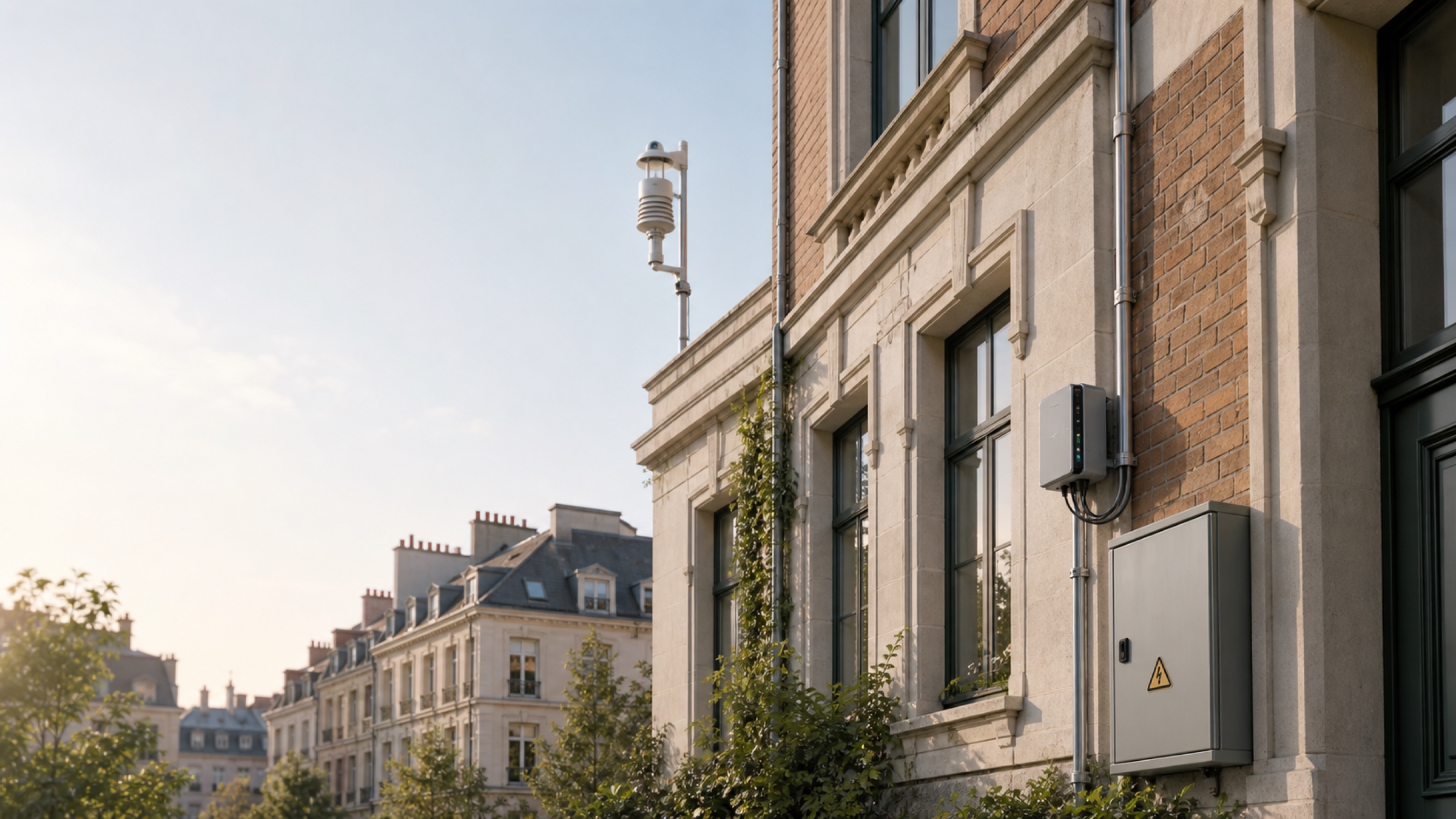
A common approach to an energy retrofit in an existing building is to keep the HVAC controllers, meters and building management system in place and add an edge gateway beside them. The gateway reads points that sit behind different protocols into one place, then writes setpoints back where needed.
Rework on these projects usually starts at selection: the gateway arrives and is missing an interface, or writes over one protocol cannot be confirmed. The cause is usually four questions that were not settled together — monitor only or also control, which protocols the field devices use, how the gateway backhauls, and how writes are kept safe.
This guide works through those four questions and includes an interface comparison with reference prices for gateways, wireless sensors and data loggers. It gives no energy-saving percentage and no gateway load figures — the measurement basis is at the end.
Quick answer
A summary of the conclusions derived below. Interface data comes from the product database; protocol capability comes from the HVAC setpoint control reference design.
| Site requirement | Model | Deployment form | Basis | Reference price | |
|---|---|---|---|---|---|
 | Monitor energy and environment only; sensors scattered, cabling difficult | reComputer R1225 + SenseCAP S2101 / S2103 | LoRaWAN gateway + wireless sensors | R1225 has built-in LoRaWAN, plus PoE and RS-485 | Gateway approx. $349 (EU868, no 4G); sensors approx. $62 / $136 |
 | Legacy RS-485 meters spread across floors | SenseCAP S2100 + R1225 | RS-485 to LoRaWAN at the meter | One S2100 per meter location; no RS-485 bus run back to the plant room | S2100 approx. $73 each |
 | Meters and controllers in the plant room, reachable over Ethernet and RS-485 | reComputer R1025 (R1000 Series) | Wired protocol gateway | 3 × RS-485, 2 × Ethernet | Approx. $297 |
 | HVAC control as well, with RS-232 devices or DI/DO dry contacts on site | reComputer R1125 (R1100 Series) | Wired protocol gateway | RS-485, RS-232, DI/DO, CAN; reference device for the HVAC reference design | Approx. $312 |
 | Scattered meters, no gateway and no LAN on site | SenseCAP Sensor Hub 4G | 4G data logger | RS-485 (Modbus RTU) collection with direct 4G backhaul | Approx. $219 |
Reference prices are unit prices at the time of lookup, for judging order of magnitude only; they vary with configuration, volume and time, and the product page is authoritative when ordering. The R1225 models with 4G are approx. $389.
Three conditions change the table above:
- The controller only speaks BACnet MS/TP, or BACnet devices sit behind a BBMD — the reference design does not implement MS/TP or BBMD. Add protocol conversion on site first, or use Modbus / OPC UA
- The points to be written are on a safety loop or interlock — the reference design is not a safety-certified control system, and the gateway should not write these points
- Split air conditioners with no readable, writable controller — the reference design targets central plant with a standard-protocol controller; split units are out of scope
If the scenario and backhaul are already known, use the configurator below to generate a device list. To see the reasoning first, read the four steps.
Why collection and control run on a gateway inside the building
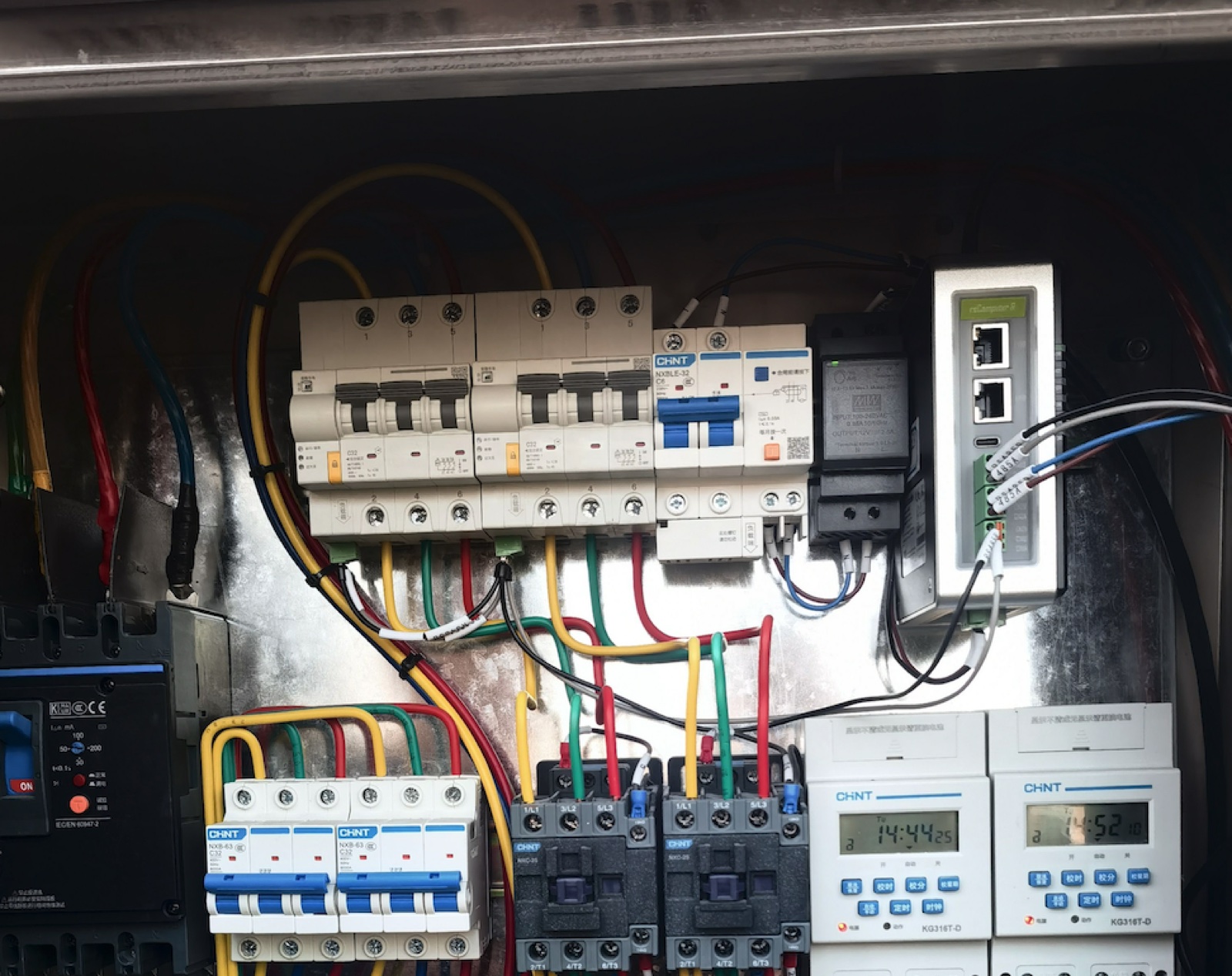
The four steps below assume point reads and control logic run on a gateway inside the building. Compared with sending all field data to the cloud and issuing commands from there, the difference shows in three places.
Field data stays in the building by default. The HVAC reference design sends no data to external platforms by default, so traffic between the meter, the controller and the gateway stays on the plant network.
The control path does not depend on the internet. Dashboards and control logic run on the gateway, with an optional link to a customer platform. When the internet link drops, local reads and writes still complete within the same network segment.
Data queues instead of dropping when the uplink fails. The industrial protocol gateway reference design buffers outgoing data on local disk. Data queues while the platform is unreachable and replays after reconnect.
System anatomy and three capabilities
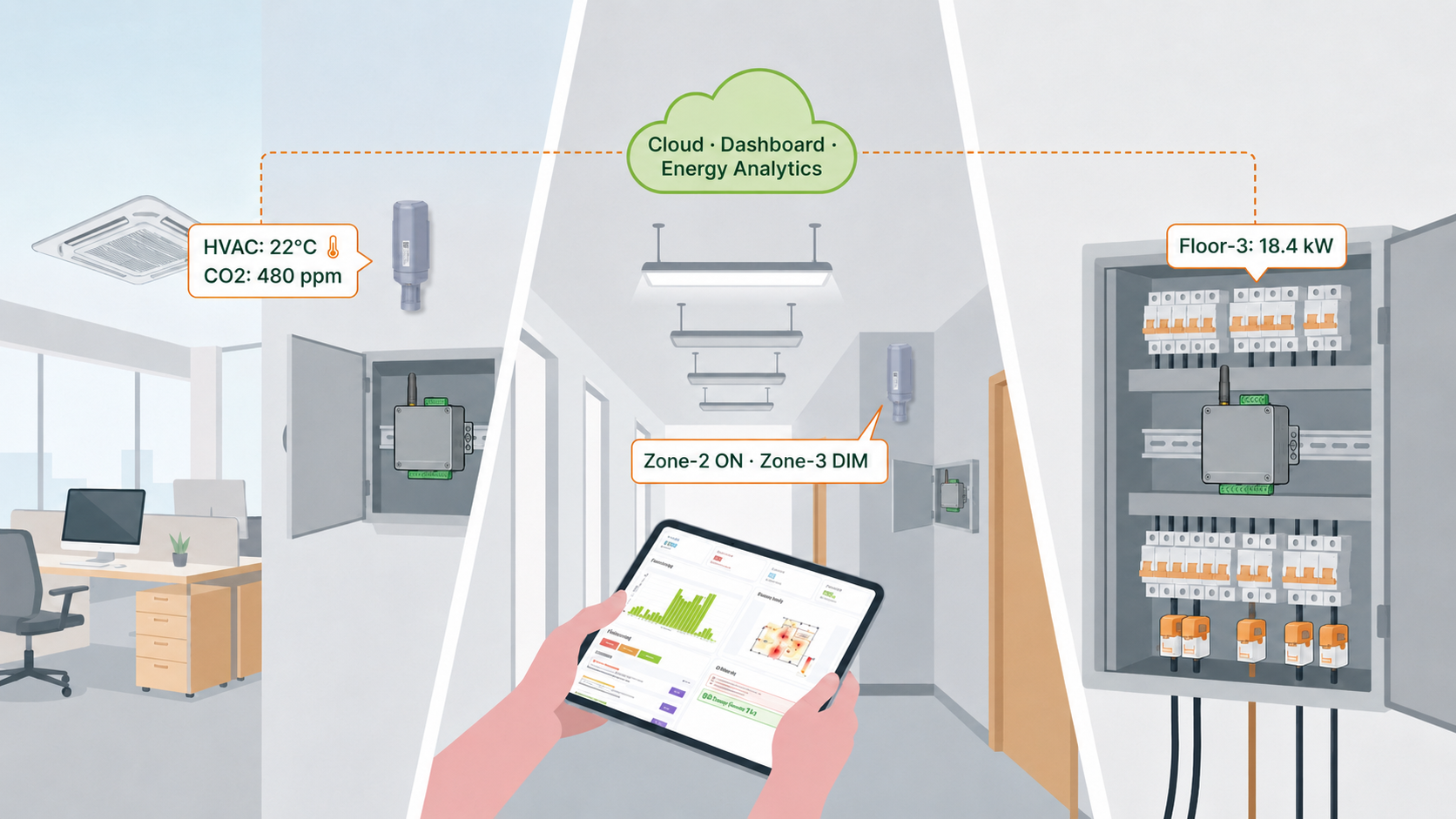
Sensing layer (sensors and meters), gateway layer (point model and protocol access), application layer (local dashboard or customer platform)
The system has three layers. The sensing layer is wireless sensors, meters and existing controllers. The gateway layer reads OPC UA, Modbus TCP, Modbus RTU and BACnet/IP devices into one point model. The application layer runs locally on the gateway or connects to a customer platform.
Common building capabilities fall into three groups, each asking more of the gateway.
See energy use: meter and circuit data in one place
Water, electricity and gas meter readings are aggregated on the gateway and allocated by department or floor. Existing Modbus meters connect to the gateway's Ethernet or RS-485 directly. Legacy RS-485 meters spread across floors go up over LoRaWAN through a SenseCAP S2100.
This group is read-only, so the gateway only needs protocol access and data forwarding.
See the environment: temperature, humidity, CO₂ and light by zone

SenseCAP S2101 measures temperature and humidity, S2103 measures CO₂ plus temperature and humidity, and S2102 measures illuminance. All three are wall-mounted LoRaWAN wireless sensors that need no cabling.
Illuminance data can feed lighting schedules. There is currently no reference design for lighting control, so this guide covers how lighting controllers connect, not control results.
Connect and control existing equipment: HVAC setpoint writes with readback
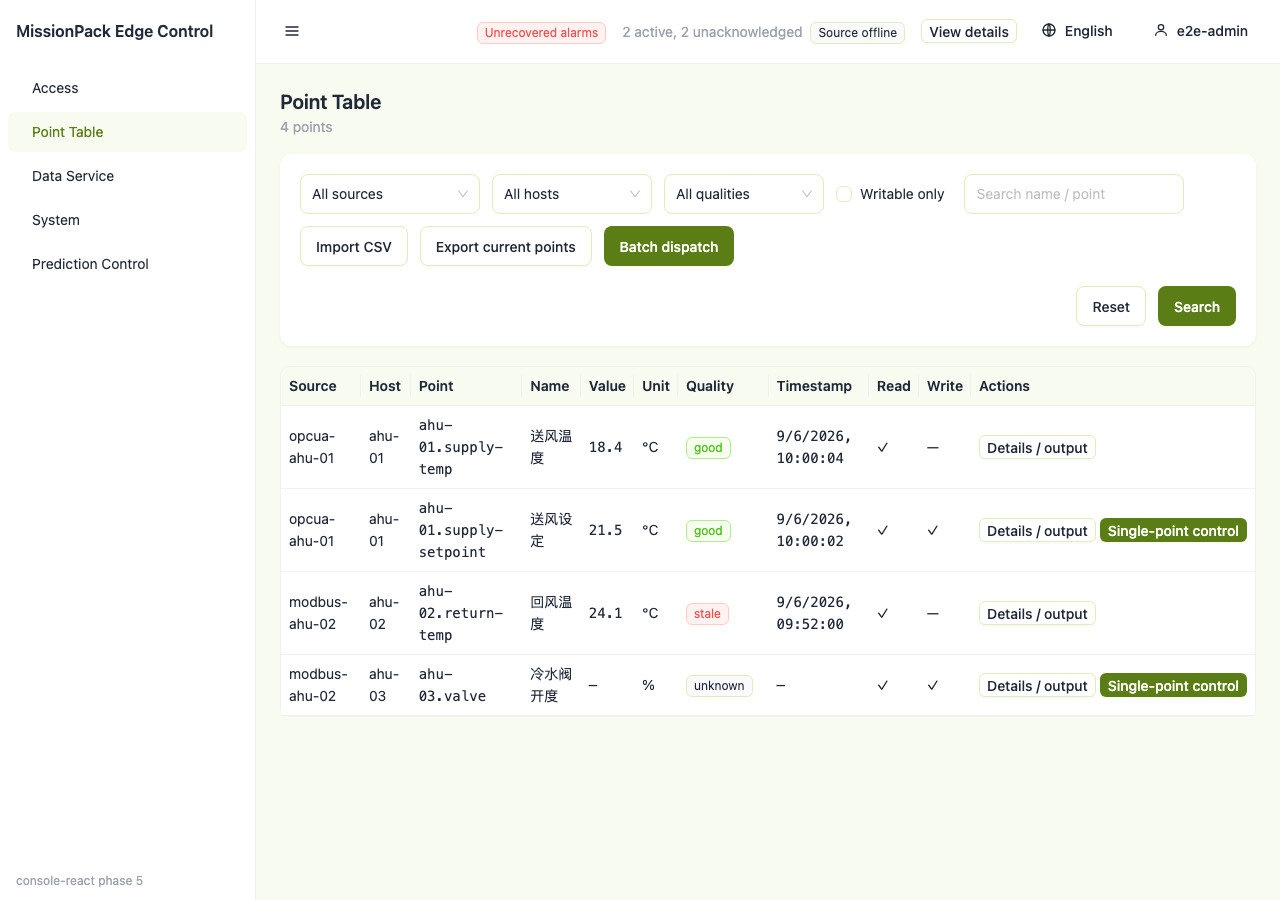
Point table in the HVAC reference design, with per-point data quality. The field devices in this screenshot are protocol simulators
The gateway reads the HVAC controller's setpoint, measured temperature and mode, predicts a setpoint from the building's own history and writes it back. Every write is read back and compared; a mismatch raises an alarm and rolls the point back.
This group writes to field equipment, so on top of protocol access it needs the write-safety measures in Step 4.
Step 1: Decide the goal — monitor only, or also control
Settle the goal before selection. It decides whether the gateway needs write capability and whether Step 4 applies.
| Goal | Data needed | What the gateway does | Reference |
|---|---|---|---|
| Monitor energy | Meters, circuit current | Read and forward | Energy & Billing |
| Monitor environment | Temperature, humidity, CO₂, light | LoRaWAN access and forwarding | Comfort & Energy Control |
| Control HVAC | Controller points + meter | Read, write, readback, rollback | HVAC setpoint control reference design |
| Control lighting | Lighting controller points | Connect over the lighting controller's own protocol | No reference design; see Step 2 for access |
Decision rules:
- Monitoring-only projects keep writes off. Reading and writing can be phased: make energy and environment data visible first, then decide on control, so phase one needs no commissioning time for write safety
- For HVAC control, first confirm the controller speaks a standard protocol. If it supports one of OPC UA, Modbus TCP/RTU or BACnet/IP, move to Step 2; if it supports none, solve protocol conversion before choosing a gateway
- Do not promise an energy-saving percentage. That figure needs a baseline, weather and occupancy normalisation, and an agreed measurement period on site, which selection cannot provide
Scope. Step 1 only decides whether writes are needed. The reference design does not cover lighting control, split air conditioners or safety loops; plan the gateway for monitoring only in those cases.
Step 2: Inventory existing devices and protocols
The protocols used by field devices decide which interfaces the gateway needs. Write capability differs by protocol, so confirm each one during selection.
| Field device | How it connects | Constraint |
|---|---|---|
| HVAC controller (OPC UA) | Ethernet | Needs the endpoint address and credentials |
| Meter / controller (Modbus TCP) | Ethernet, direct or through a Modbus TCP gateway | Needs unit id, register map, byte and word order |
| Meter (Modbus RTU) | Gateway on-board RS-485 | Baud rate, parity and unit id must match the meter |
| Air handler (BACnet/IP) | Ethernet, gateway and plant on the same BACnet subnet | Readable and writable, but writes are not read back |
| Scattered legacy RS-485 meters | SenseCAP S2100 to LoRaWAN | Needs a LoRaWAN gateway (R1225 or SenseCAP M2) |
| New environmental sensors | SenseCAP S21xx, LoRaWAN | Needs a LoRaWAN gateway |
| Lighting controller | By the controller's own protocol, via the matching row above | No reference design |
Nominal specifications of the added sensors and data logger:
| Device | Measures | Nominal range | Link | Rating | Reference price | |
|---|---|---|---|---|---|---|
 | SenseCAP S2101 | Temperature, humidity | -40 | LoRaWAN | IP66 | Approx. $62 |
 | SenseCAP S2102 | Illuminance | 0~160000 lux | LoRaWAN | IP66 | Approx. $62 |
 | SenseCAP S2103 | CO₂, temperature, humidity | 400 | LoRaWAN | IP66 | Approx. $136 |
| SenseCAP S2100 | Connects RS-485 / analog / GPIO devices | — | LoRaWAN | IP66 | Approx. $73 |
Decision rules:
- Meters grouped in the plant room, RS-485 bus can reach the gateway → connect to the gateway's on-board RS-485
- Meters spread across floors, cabling difficult → add one S2100 per location and choose R1225 as the gateway
- The plant only offers BACnet/IP and must be written → writes cannot be read back, so Step 4 rollback does not protect these points; first check whether the plant also exposes Modbus or OPC UA
Scope. Protocol access needs site information that discovery cannot supply: controller endpoint addresses and credentials, the Modbus register map (with byte and word order), and meter unit ids. Without them commissioning time cannot be estimated, so request them from the building owner before quoting.
Step 3: Choose the gateway and backhaul
Step 2 settled the interfaces; this step picks the gateway by interface and backhaul. The three reComputer gateways below are all Raspberry Pi CM4 platforms.
| Device | Field interfaces | Wireless / backhaul | Use when | Reference price | |
|---|---|---|---|---|---|
| reComputer R1225 | RS-485, PoE, Gigabit Ethernet | LoRaWAN (EU868 / US915), Wi-Fi; 4G as a model option | Wireless sensors or S2100 on site | Approx. $349; 4G model approx. $389 |
| reComputer R1125 | RS-485, RS-232, DI/DO, CAN, Gigabit Ethernet | Wi-Fi; 4G through an expansion module | RS-232 devices or dry contacts on site | Approx. $312 |
| reComputer R1025 | 3 × RS-485, 2 × Ethernet | Wi-Fi; 4G through an expansion module | All-Ethernet site with RS-485 | Approx. $297 |
 | SenseCAP M2 indoor gateway | Ethernet | LoRaWAN, Wi-Fi; 4G model available | Extend indoor LoRa coverage | Approx. $99 |
| SenseCAP Sensor Hub 4G | RS-485, analog, GPIO | 4G | Scattered meters, no gateway | Approx. $219 |
Model naming: the last digit of the model number only distinguishes RAM and storage, with identical interfaces. For example, R1124 and R1125 share interfaces (16 GB and 32 GB eMMC), as do R1024 and R1025.
Decision rules:
- LoRaWAN sensors or S2100 on site → R1225. Where LoRa coverage does not reach a floor, add a SenseCAP M2 indoor gateway
- All wired, with RS-232 devices or DI/DO dry contacts → R1125
- All wired, Ethernet and RS-485 only → R1025
- No fixed network in the plant room → choose the R1225 model with 4G; add a 4G module to R1125 / R1025
- An always-on Linux host already sits on the same subnet as the controllers → the point and control services can run on that host (x86-64 or arm64, with Docker), so no separate gateway is needed
Scope. The HVAC reference design's software limit is 2,000 points, of which 50 are writable. This is a software limit, not a measured gateway load capacity; when a building has more than a few hundred points, load-test the target gateway with the project's point table before settling the unit count.
Step 4: Write safety — what to confirm before writing
Monitoring-only projects can skip this step. When writing to HVAC controllers, the first test is whether a write can be read back, the second is whether the write range has been approved.
| Check | What the reference design does | Confirm at selection and delivery |
|---|---|---|
| Initial state | Ships observe-only; writes nothing until an operator explicitly enables control | Keep observe mode at handover; enable writes after one full occupancy cycle |
| Readback | Every write is read back and compared; a mismatch raises an alarm and rolls back | Only Modbus points are read back; BACnet outputs are not |
| Rollback | Triggered by readback mismatch, source offline, operator abort and similar cases | Exercise rollback and alarms once each on your own plant |
| Safety limits | Temperature range, rate of change and mode whitelist, all shipped as placeholders | Take effect only after a named site engineer approves them |
| System role | Supervisory setpoint recommendation, not a safety-certified control system | The plant's own interlocks and safety controls remain the final authority |
| Point list and interlocks | — | Both parties confirm the point list, actuators, electrical ratings and site interlocks before implementation |
Decision rules:
- Points can be read back (Modbus) → writes can be enabled, but first force a source-offline and a readback-mismatch fault once each and confirm alarms and rollback fire
- Points can be written but not read back (BACnet outputs, write-only actuators) → keep them monitor-only, or write only with manual confirmation
- Meter voltage and frequency look plausible but read wrong → usually a float word-order setting, not wiring; check against the meter display once before enabling writes
Scope. Gateway writes do not fit: any point on a safety loop; sub-second closed loops (the prediction loop runs below one cycle per second, so these belong in the controller); actuators that cannot be read back.
For solution providers and system integrators: from proof to delivery
If this design is delivered to downstream customers, settle the following three items during selection.
Proof path. For HVAC control, see the HVAC setpoint control reference design; its built-in OPC UA simulator lets you run point reads, prediction and writes without a plant.
Commissioning time. The HVAC reference design estimates 60 minutes from zero to a running console with points reading. Commissioning takes longer: registering the meter, one observe-mode occupancy cycle, deliberate fault injection, and only then enabling writes. Quote and schedule commissioning as a separate line.
Hardware customization and volume supply. Enclosure, branding, packaging and interface changes can be evaluated as a customization project. For scope, certification coverage and lead times, see ODM/OEM customization services.
Measurement basis and comparison scope
This guide contains no energy-saving percentage and no gateway load figures. An energy-saving rate needs a baseline, weather and occupancy normalisation, and an agreed measurement period on site, none of which the reference designs include. Capacity and latency data in both reference designs were measured against protocol simulators and do not represent a production gateway connected to a real plant, so they are excluded from the conclusions table.
2,000 points / 50 writable is a software design limit, not a measured value. 60 minutes is the reference design's deployment estimate and excludes commissioning.
Device data comes from Seeed's own product line. The method in this guide (set the goal, inventory protocols, choose the gateway by interface, then confirm write safety) does not depend on a brand and applies equally to gateways and sensors from other vendors.
Data sources and test conditions
- Gateway interfaces, wireless and backhaul: product specification pages for R1225 (the EU868 model has no 4G; 4G comes in two separate models), R1125-10, R1025-10, SenseCAP M2 (EU868) and Sensor Hub 4G
- Sensor ranges and ratings: nominal values from the S2101, S2102, S2103 and S2100 product specification pages
- Reference prices: unit prices at the time of lookup; they vary with configuration, volume and time, and the product page is authoritative
- Protocol scope, write readback, rollback, safety limits, point limit, deployment estimate: HVAC setpoint control reference design landing page
- Outage buffering and Sparkplug B compatibility: industrial protocol gateway reference design landing page
- Confirmation of point list, actuators, electrical ratings and interlocks: configurator note on the Home & Building Automation Tech page
- Screenshot: HVAC reference design console; the field devices are protocol simulators
The data in this guide sets a selection range. Before formal delivery, run a load test on the target gateway with the project's point table, and verify readback, rollback and alarms on the site plant.


