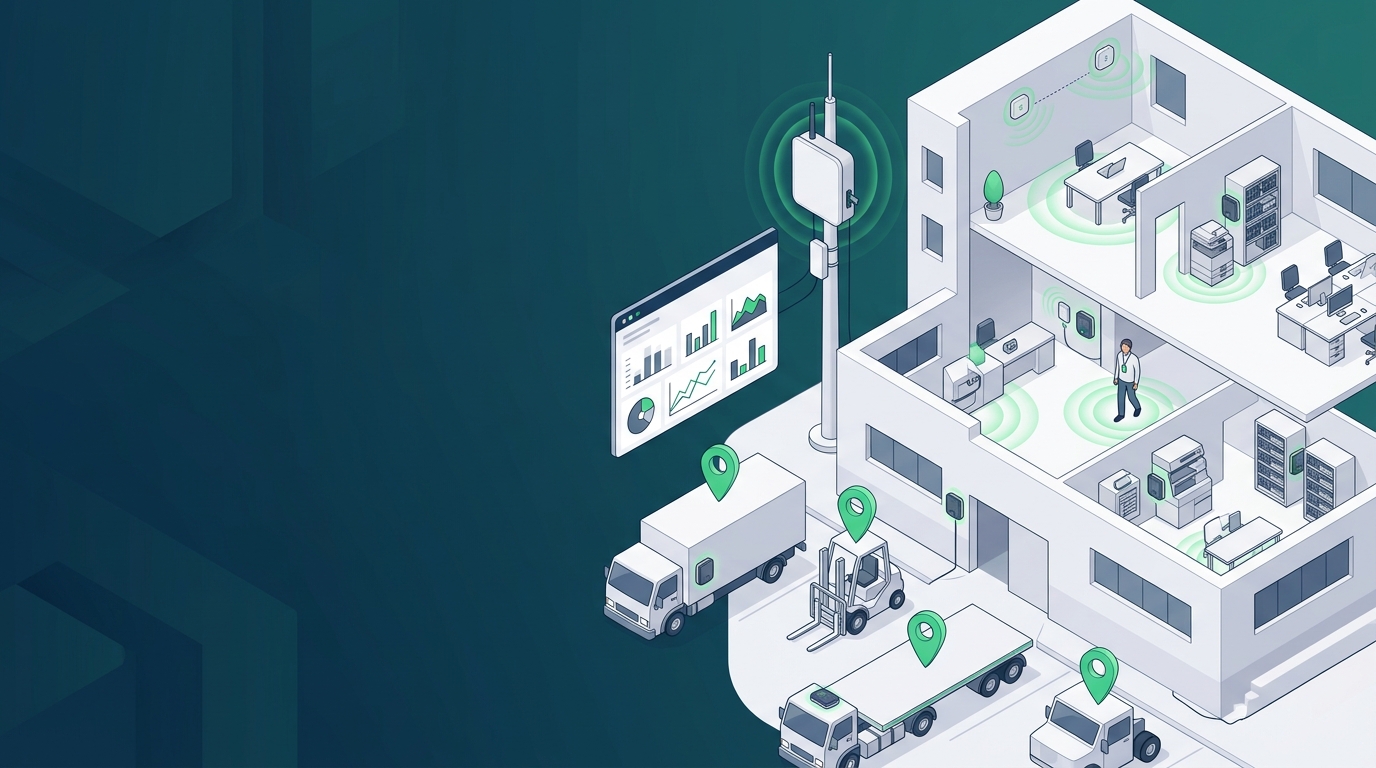
Positioning projects on campuses, in hospitals, factories, warehouses, oil and gas fields and mines usually cover three kinds of object at once: people, vehicles and assets. People need a badge they carry and a one-press call for help; vehicles and assets need to report position for a long time without mains power or maintenance. Satellite signals do not reach indoors, so indoor position references come from Bluetooth beacons.
LoRaWAN trackers plus Bluetooth (BLE) beacons are a common combination for this kind of project: satellite positioning (GNSS) outdoors, beacon scanning indoors, and positions and alarms sent back to a platform through a LoRaWAN gateway. Selection needs four questions settled together: who is tracked, which areas are covered and how precisely, how many gateways, and how devices are powered on site.
This guide works through those four steps with decision rules and comparison tables. Accuracy, range and battery-life figures are rated values from the official wiki and product specifications, not results measured for this guide — the measurement basis is at the end.
Quick answer
| Requirement | Model | Role in the system | Basis (rated) | Reference price | |
|---|---|---|---|---|---|
 | Worn by people; position + SOS, plus temperature, light or motion events | SenseCAP T1000-A | Personnel badge | GNSS / WiFi / BLE; press the button twice for SOS; built-in temperature, light and accelerometer sensors; IP65, 32 g | Approx. $38–46 |
 | Worn by people; position + SOS only | SenseCAP T1000-B | Personnel badge | Positioning and SOS as T1000-A, without temperature, light or accelerometer sensors | Approx. $28–34 |
 | Vehicles, heavy equipment, returnable assets; no mains power, long-term maintenance-free | SenseCAP T2000-A | Asset tracker | GNSS / BLE; 8000 mAh primary battery; IP67, ATEX; anti-tamper alarm | Approx. $48–58 |
 | As T2000-A, plus WiFi-assisted positioning | SenseCAP T2000-B | Asset tracker | GNSS / BLE / WiFi; 8000 mAh primary battery; IP67, ATEX | Approx. $50–60 |
 | Vehicles and assets kept outdoors with good sunlight | SenseCAP T2000-C | Asset tracker | GNSS / BLE; 0.5 W solar panel + 4000 mAh rechargeable battery; IP67 (ATEX not listed) | Approx. $48–58 |
 | Indoor position reference | SenseCAP BC03 Indoor Bluetooth Beacon | Indoor beacon | Metre level (about 2–3 m) with 3 per zone, room level with 1 per zone; battery life over 5 years; stick-on, no wiring | Approx. $11–14 |
 | LoRaWAN backhaul inside a campus or building | SenseCAP M2 LoRaWAN Gateway | Indoor gateway | 2 km line of sight; 100–200 trackers per gateway; Ethernet / WiFi, 4G optional | Approx. $95–160 |
 | Gateway must be mounted outdoors, e.g. field sites and mines | SenseCAP Outdoor LoRaWAN Gateway | Outdoor gateway | 10 km line of sight, 2 km urban; 4G / Ethernet; IP66, -40~70°C | Approx. $390–430 |
Reference prices are unit prices at the time of lookup, for judging order of magnitude only; they vary with configuration, band, volume and time, and the product page is authoritative when ordering.
Three conditions change the table above:
- The project is deployed in mainland China — the rated bands of these trackers are IN865 / EU868 / US915 / AU915 / AS923 / KR920 / RU864, which do not include CN470. Confirm the usable band for the target country before ordering
- People must enter explosion-hazard areas — ATEX certification covers only the T2000-A / T2000-B asset trackers; the T1000 badge's certification list does not include ATEX, so an explosion-proof personnel badge is outside the models in this guide
- Continuous, second-by-second live tracks are required — trackers report position at an uplink interval (60 minutes by default, adjustable). They suit "which area is this person or asset in" and SOS events, not scenarios that need a continuous live track
If you already know the tracked object, coverage and quantities, use the configurator below to generate a device list. For how the quantities are worked out, read the four steps.
Why LoRaWAN plus Bluetooth beacons for positioning
The four steps below assume battery-powered trackers, beacons with no wiring, and data returned over LoRaWAN. Compared with positioning systems that need cabling or depend on the cellular network, the difference shows in three places.
No wiring for field devices. Trackers and beacons run on batteries, and beacons peel and stick; only the gateway needs power and a network connection. Retrofitting an existing building needs no cable runs through ceilings.
People, vehicles and assets share one network. T1000 badges and T2000 asset trackers join the same LoRaWAN gateway and appear on the same map in the platform. Where a LoRaWAN network already runs on site, trackers join it and no extra gateway is needed.
Battery life is counted in months and years. T1000 is rated at 4 months with hourly uplinks and GNSS only; T2000-A / B are rated at over a year with hourly GNSS uplinks, and up to 7–9 years with longer intervals. When the network is temporarily unavailable, trackers cache 1000 records locally and upload them once coverage returns.
The limitation is equally clear: LoRaWAN is a low-rate link, trackers report at intervals, so positions refresh in minutes; indoor accuracy depends on how the beacons are laid out.
System components and three device types
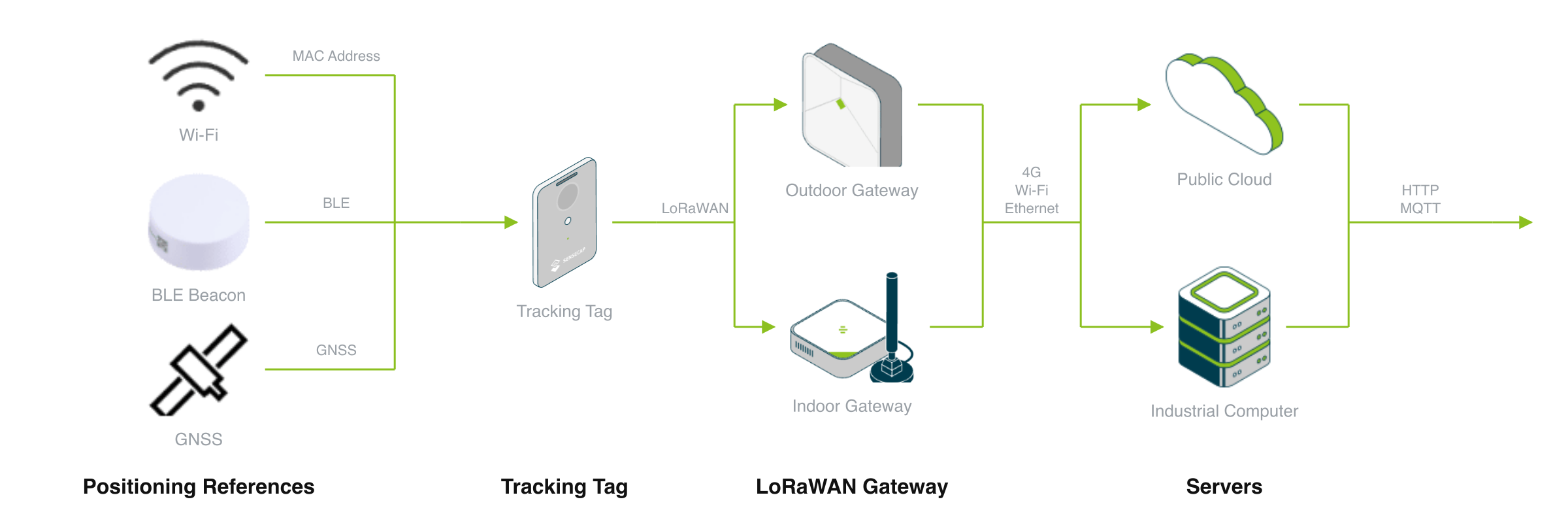
Trackers (edge) → BLE beacons + LoRaWAN gateway (transport) → positioning platform (application)
An indoor and outdoor positioning system consists of three device types and a platform:
Trackers: personnel badges and asset trackers
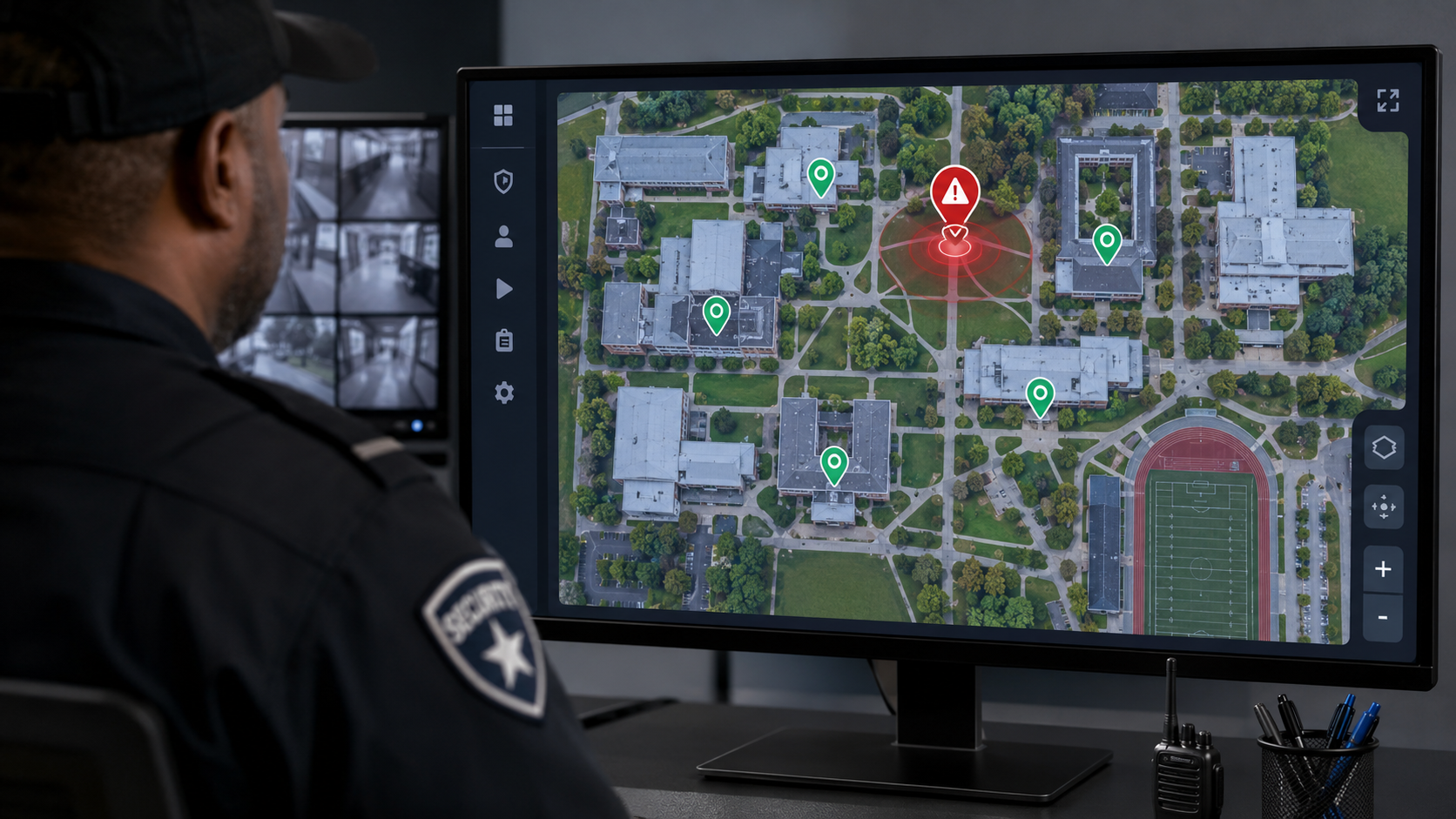
A badge triggers SOS; the platform receives the person and position event
People wear the card-sized T1000 badge: GNSS outdoors, beacon scanning indoors, and press the button twice to report SOS. Vehicles, heavy equipment and returnable assets carry a T2000 in an IP67 enclosure; removing it triggers an anti-tamper alarm, and it mounts with screws, a strap or 3M tape.
Position references: GNSS, WiFi and Bluetooth beacons
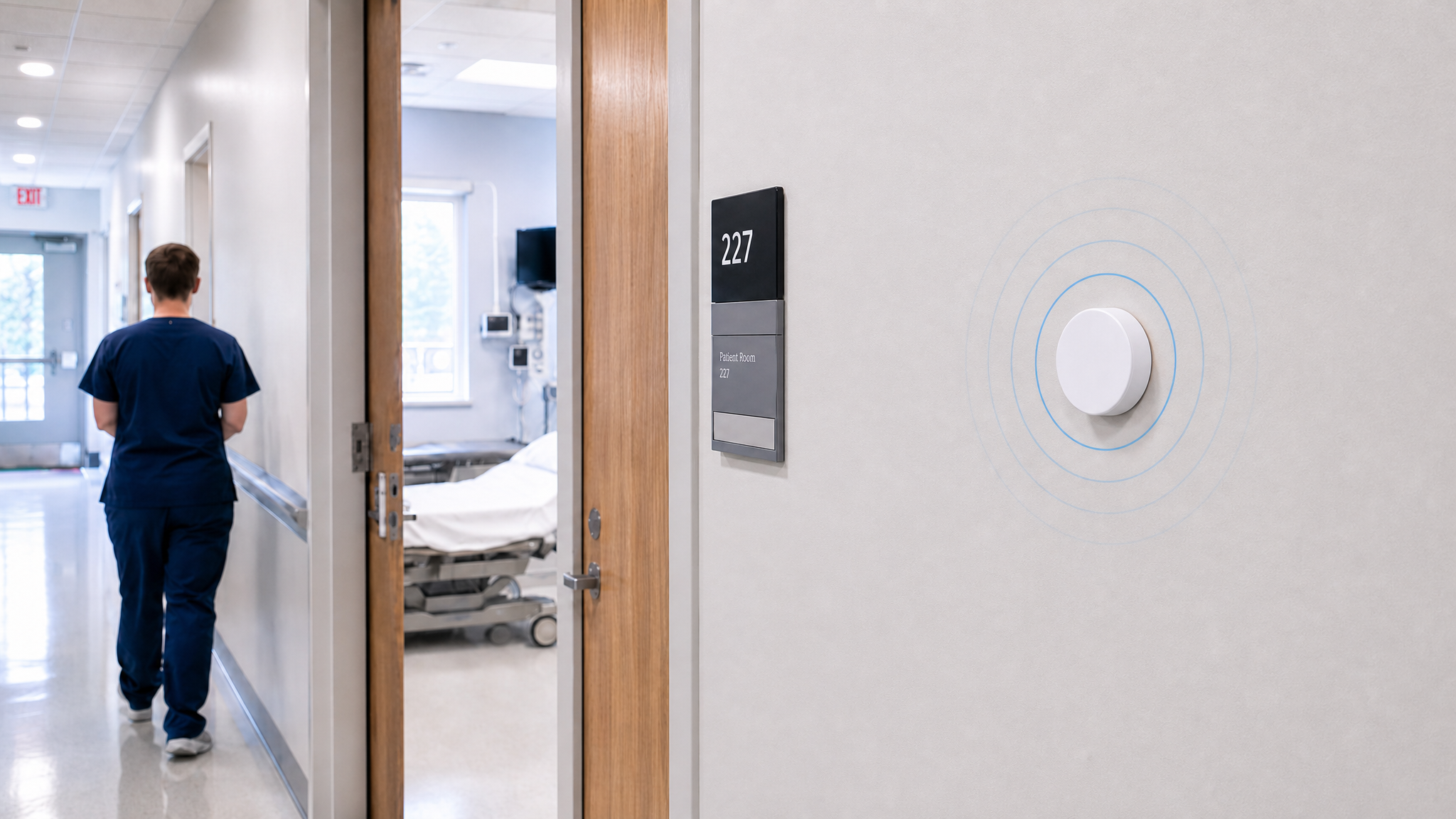
BC03 beacons in clinic and ward rooms add a room reference to each alarm
Outdoors, the tracker's own GNSS provides position. Indoors, BC03 beacons broadcast Bluetooth signals periodically; the tracker reports the beacon addresses and signal strengths it scanned, and the position is solved on the platform side. WiFi-assisted positioning works the same way: the tracker reports the hotspot addresses it scanned, and the platform solves the position.
LoRaWAN gateway and positioning platform
The gateway collects uplinks in range and forwards them to the platform
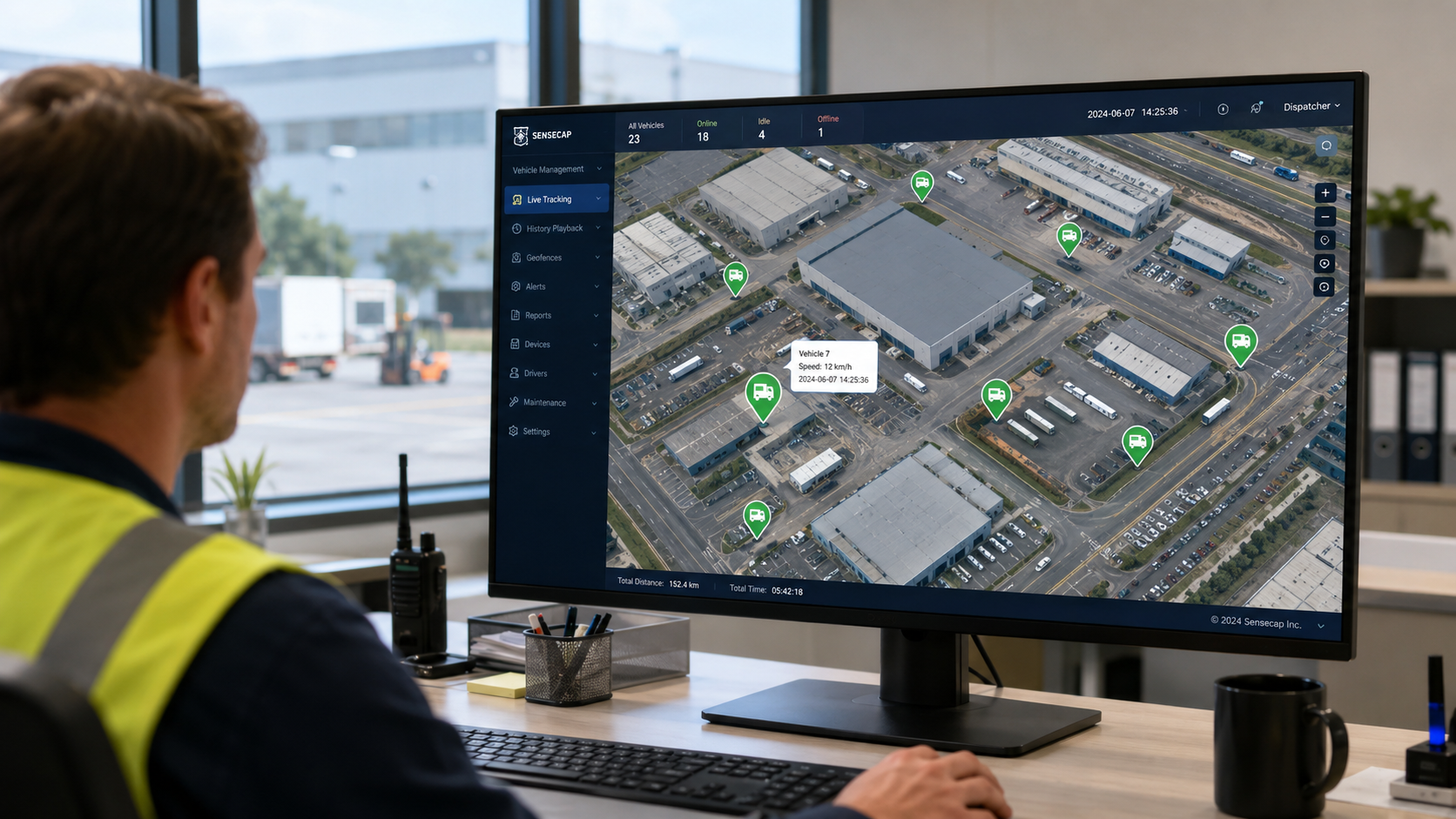
The gateway collects uplinks from every tracker in range and forwards them to a network server over Ethernet, WiFi or 4G. Applications take uplinks from SenseCAP OpenStream or a self-hosted ChirpStack MQTT topic and connect them to security, fleet or asset systems. To host your own indoor positioning service, see the open-source BLE + LoRaWAN indoor positioning reference design.
Step 1: Choose the tracked object
Before selection, decide who or what is tracked. People and assets use different trackers; the differences are how they are carried, the battery and certification.
| Model | Positioning | Battery | Protection / certification | Size / weight | Reference price | |
|---|---|---|---|---|---|---|
| T1000-A | GNSS / WiFi / BLE | 700 mAh rechargeable | IP65 | 85 × 55 × 6.5 mm / 32 g | Approx. $38–46 |
| T1000-B | GNSS / WiFi / BLE | 700 mAh rechargeable | IP65 | 85 × 55 × 6.5 mm / 32 g | Approx. $28–34 |
| T2000-A | GNSS / BLE | 8000 mAh primary | IP67 / ATEX | 117 × 65 × 30 mm / 180 g | Approx. $48–58 |
| T2000-B | GNSS / BLE / WiFi | 8000 mAh primary | IP67 / ATEX | 117 × 65 × 30 mm / 180 g | Approx. $50–60 |
| T2000-C | GNSS / BLE | 0.5 W solar + 4000 mAh rechargeable | IP67 | 117 × 65 × 30 mm / 180 g | Approx. $48–58 |
Decision rules:
- Tracking people who need a one-press call for help → choose T1000; if you also need temperature and light reports or motion-triggered events, choose T1000-A; for position and SOS only, choose T1000-B
- Vehicles, heavy equipment or returnable assets that cannot be charged on site → choose T2000-A; if assets often sit where satellite signal is weak but WiFi hotspots are nearby (warehouse doors, city streets), choose T2000-B, which adds WiFi-assisted positioning
- Assets kept outdoors long term with good sunlight, where replacing devices is unwanted → choose the solar T2000-C
- Oil, gas, mining or other sites requiring ATEX certification → only T2000-A or T2000-B qualify
Boundaries. All T2000 models run on a built-in battery and take no power from the vehicle, so installation needs no connection to the vehicle wiring. The T2000-A / B battery is not rechargeable; estimate service life from the uplink interval. The SOS button exists only on the T1000 badge; T2000 alarms come from anti-tamper and motion detection.
Step 2: Size beacons by coverage and accuracy
Step 1 settled the trackers; this step decides how many beacons go indoors. Outdoor-only positioning needs no beacons; indoors, the number per zone depends on whether you need room level or metre level.
| Coverage area | Position source | Accuracy (rated) | Extra equipment | Beacon count |
|---|---|---|---|---|
| Open outdoor areas (sports grounds, roads, yards) | GNSS | T1000 2.5 m CEP50; T2000 5–10 m | None | 0 |
| Outdoor areas shaded by buildings, with WiFi nearby | GNSS + WiFi assist | — | Platform-side WiFi position solving | 0 |
| Indoors, which room | BLE beacons | Room level | BC03 | Zones × 1 |
| Indoors, metre level (halls, warehouses, ward corridors) | BLE trilateration | About 2–3 m | BC03 | Zones × 3 |
| Continuous indoor + outdoor | GNSS + BLE | As above for each | BC03 (indoor part only) | Indoor zones × 1 or × 3 |
Example: an outpatient building has 20 clinic rooms. If an alarm only needs to show which room, fit 20 BC03 beacons; to reach metre level in the same 20 zones, fit 60.
Decision rules:
- Knowing the room is enough (clinic rooms, classrooms, dormitories) → 1 beacon per room
- Specific positions inside a large space (warehouse aisles, halls, long corridors) → 3 beacons per zone; the wiki recommends a mounting height of 2.5–3 m and horizontal spacing of 5–10 m, in a triangular layout
- Spaces with a floor height above 4 m → do not ceiling-mount; mount on walls or lower, about 5 m apart
- Fixed reference points are also needed outdoors (open yards, entrances) → BC03 has no protection rating and is for indoor use only; outdoors, choose the BC02 outdoor beacon (IP68 / IK08)
Boundaries. Accuracy figures are wiki rated values; results depend on beacon layout and on metal shelving and glass. Keep beacons away from corners, metal and glass. Position is solved on the platform side, so record each beacon's address and mounting location during deployment and enter them into the platform. Fit beacons in one typical zone first, walk it with a tracker, then settle the beacon count for the whole site.
Step 3: Plan gateways and bands
Step 2 settled the field devices; this step decides how data comes back. First check whether the site already has a LoRaWAN network, then choose the gateway by mounting location.
| Model | Mounting | Backhaul | Coverage (rated) | Protection | Reference price | |
|---|---|---|---|---|---|---|
| SenseCAP M2 | Indoors (outdoors needs a separate enclosure) | Ethernet / WiFi, 4G optional | 2 km line of sight; 100–200 trackers per gateway | — | Approx. $95–160 |
| SenseCAP Outdoor Gateway | Poles, rooftops | 4G / Ethernet | 10 km line of sight, 2 km urban | IP66, -40~70°C | Approx. $390–430 |
Decision rules:
- The site already has a LoRaWAN network → no extra gateway; trackers join on the same band
- A single campus or a hospital with buildings close together → start with 1 M2; spread-out buildings or a large plant usually need two
- More than 100–200 trackers per gateway, or very short uplink intervals → add gateways by area to share the uplink load
- The gateway must be mounted outdoors, or a field site has no wired network → choose the outdoor gateway with 4G backhaul
Choose the band by deployment country; the gateway and trackers must be SKUs for the same band:
| Band | Typical region | Covered by T1000 / T2000 | M2 gateway SKU available |
|---|---|---|---|
| EU868 | Europe | Yes | Yes |
| US915 | North America | Yes | Yes |
| AU915 | Australia | Yes | Yes |
| AS923 | Southeast Asia, Japan and others | Yes | Yes (including a Japan version) |
| IN865 | India | Yes | Confirm before ordering |
| KR920 / RU864 | Korea / Russia | Yes | Confirm before ordering |
| CN470 | Mainland China | No | No |
Boundaries. 2 km is a rated line-of-sight value. The M2 wiki gives a higher ceiling (up to 10 km at low data rates); this guide plans with 2 km. Underground car parks and multiple concrete floors weaken the signal noticeably and need an extra gateway at the car park entrance or inside the building; settle gateway count with an on-site walk test.
Step 4: Check power and site conditions
The first three steps produced the device list; this step decides whether devices keep working on site. Check temperature and explosion protection first, then work out battery life from the uplink interval.
| Device | Power | Battery life (rated) | Operating temperature | Protection / certification |
|---|---|---|---|---|
| T1000-A / B | 700 mAh rechargeable, magnetic charging cable | About 4 months (hourly uplinks, GNSS only) | -20~60°C, charging 0–45°C | IP65 |
| T2000-A / B | 8000 mAh primary battery | Over 1 year (hourly GNSS uplinks); up to 7–9 years with longer intervals | -40~85°C | IP67 / ATEX |
| T2000-C | 0.5 W solar + 4000 mAh rechargeable | Multi-year operation with regular sunlight and moderate uplink intervals | -20~60°C, charging 0–45°C | IP67 |
| BC03 | 2400 mAh replaceable battery | Over 5 years (default 0 dBm / 500 ms advertising) | -20~60°C | No protection rating |
| M2 gateway | 12 V adapter | Mains | — | Indoor |
| Outdoor gateway | Needs site power | Mains | -40~70°C | IP66 |
Decision rules:
- Personnel badges → plan the charging cycle from the uplink interval; more frequent uplinks shorten battery life. In continuous SOS mode the badge reports once a minute, 30 times, so leave battery margin
- Assets that cannot be charged and must run for years without maintenance → choose T2000-A / B with a longer uplink interval; for outdoor assets that need frequent uplinks without battery replacement, choose T2000-C
- Site temperature below -20°C or above 60°C (cold stores, winter open-air sites in cold regions, next to hot equipment) → only T2000-A / B cover -40~85°C; T1000 and T2000-C charge at 0–45°C, and charging is limited outside that range
- Humid, outdoor or wash-down environments → choose trackers by IP65 / IP67; mount BC03 only in dry indoor locations
Boundaries. Battery-life figures are wiki rated values under specific uplink intervals and positioning modes; actual life varies with band, positioning mode, uplink interval and environment, and the wiki provides a battery-life calculator. Explosion-protection requirements follow the certification rules where the project is located; check the scope of the T2000-A / B ATEX certificate before ordering.
For solution providers and system integrators: from validation to delivery
If this design is delivered to downstream customers, settle the following three points during selection.
Validation path. Two stages are recommended. First, use 1 M2 gateway, a few T1000 or T2000 trackers and 3 BC03 beacons in one room to run network join, SOS and indoor positioning end to end in the office. Then run a pilot at the customer site on one typical floor and one outdoor area, measure gateway coverage and indoor positioning results, and settle the total number of gateways and beacons from that.
Platform integration. Confirm three things: whether data reaches the platform through SenseCAP OpenStream or the customer's own ChirpStack; who solves indoor and WiFi positions (the SenseCAP platform, or a service built on the indoor positioning reference design); and which security or dispatch system receives SOS and anti-tamper alarms. When employees wear badges, confirm the company's internal notice and consent process at the same time.
Hardware customization and volume supply. For customization scope (logo, appearance, packaging, preinstalled firmware), certification coverage and lead times, see ODM/OEM customization services.
Measurement basis and comparison scope
This guide contains no end-to-end positioning measurements. Accuracy, coverage, battery life and capacity are rated values from the official wiki, product specifications and the Tech page. Indoor accuracy depends on beacon layout and obstructions, gateway coverage on mounting height and building structure, and battery life on uplink interval, positioning mode and temperature. The engineering wiki for the indoor positioning reference design includes capacity and latency from server-side replay; those figures do not involve real trackers or gateways and are not cited here.
Device data comes from Seeed's own product line. The method (choose the object, size beacons by area and accuracy, plan gateways and bands, then check power and site conditions) is brand-independent and applies equally to other LoRaWAN trackers and Bluetooth beacons.
Data sources and test conditions
- T1000 specifications (positioning methods, sensor differences, GNSS 2.5 m CEP50, 700 mAh and the 4-month battery-life condition, IP65, size and weight, operating and charging temperature, 1000-record cache, bands, certification): Seeed Wiki: SenseCAP T1000 Introduction
- T1000 SOS button (press twice to trigger, continuous mode reports once a minute for 30 times, default uplink interval 60 minutes): Seeed Wiki: Get Started with SenseCAP T1000
- T2000-A / B / C specifications (battery, positioning methods, IP67, ATEX scope, operating temperature, battery life, GNSS 5–10 m, anti-tamper, 1000-record cache, mounting options, bands, size and weight): Seeed Wiki: SenseCAP T2000 Introduction
- BC03 specifications (about 2–3 m, 2400 mAh, over 5 years, no protection rating, operating temperature): Seeed Wiki: BC03 Bluetooth Beacon
- Beacon mounting height, spacing and placement rules; BC02 protection rating: Seeed Wiki: BC02 Outdoor Bluetooth Beacon
- 3 / 1 beacons per zone, M2 2 km line of sight and 100–200 trackers per gateway: the Indoor and Outdoor Positioning Tech page configurator and FAQ, and the indoor positioning reference design page (rated values from the SenseCAP M2 datasheet and gateway capacity)
- M2 gateway 12 V power: Seeed product database, SKU 114992981
- M2 gateway backhaul options and 10 km ceiling: Seeed Wiki: SenseCAP M2 Multi-Platform Gateway
- Outdoor gateway specifications (10 km / 2 km, 4G / Ethernet, IP66, -40~70°C): Seeed Wiki: SenseCAP LoRaWAN Outdoor Gateway
- Reference prices and M2 band SKUs: Seeed product database (SKUs 114993073, 114993106, 100082900, 100057727, 100087298, 100085893, 114992981, 102991154) and the M2 purchase profile; unit reference prices at the time of lookup, with the product page authoritative


